Key Takeaways
A 4K camera can help a project team build a clearer visual record, but the right setup depends on the site, schedule and purpose of the footage.
- Decide whether the priority is progress reviews, time-lapse footage or remote viewing.
- Compare image quality, capture schedule, storage, connectivity and power as a complete system.
- Choose a stable viewpoint that will remain useful as the site changes.
- Test the image and connection before leaving the equipment to operate unattended.
- Plan how footage will be organised, shared, protected and retained.
What a 4K construction camera can do
A 4K construction camera can give a project team a detailed visual record of work as it develops. The value is not simply the resolution: a useful view needs to show the right parts of the site, at the right times, in a form people can review. Teams may use the imagery for progress discussions, time-lapse presentations or remote updates. The best purpose to settle first is the one that will guide the camera position and capture schedule.
Capture fine site detail for progress reviews
A consistent view can help teams revisit visible changes over time, from the broad movement of work across a site to details that remain clear within the frame. Image quality is only useful when the camera is positioned to show the relevant work and when the view is not obscured by equipment, temporary structures or changing site conditions. Consider who will review the imagery and what they need to see. That makes useful visual detail a practical requirement, rather than a specification to compare in isolation.
Create time-lapse footage of project milestones
Time-lapse footage condenses a series of images into a view of progress over a longer period. The capture schedule should reflect the work: a phase with frequent visible change may call for a different interval from a quieter period. Construction Time Lapse Specialists provides construction time-lapse cameras and photography, with 4K clarity, for projects across Brisbane and Queensland. A regular sequence makes it easier to see how the site has changed, provided the camera keeps a consistent view.
Support remote monitoring and stakeholder updates
Remote viewing can help stakeholders follow visible site progress without relying on an in-person visit for every update. It works best when the image is current, the viewpoint is clear and people know what they are looking at. Construction Time Lapse Specialists provides secure remote portal access for viewing site progress. For a broader planning checklist, see this guide to choosing a 4K camera, which considers image quality, viewpoint, capture schedule, installation and site conditions.
Key specifications to compare
A specification sheet is a starting point, not a complete selection method. The same resolution or connectivity option can suit one site and frustrate another, depending on the view, working hours and available infrastructure. Compare each feature against the intended use and the length of the project. It is also worth checking how the parts of the system work together before settling on a setup.
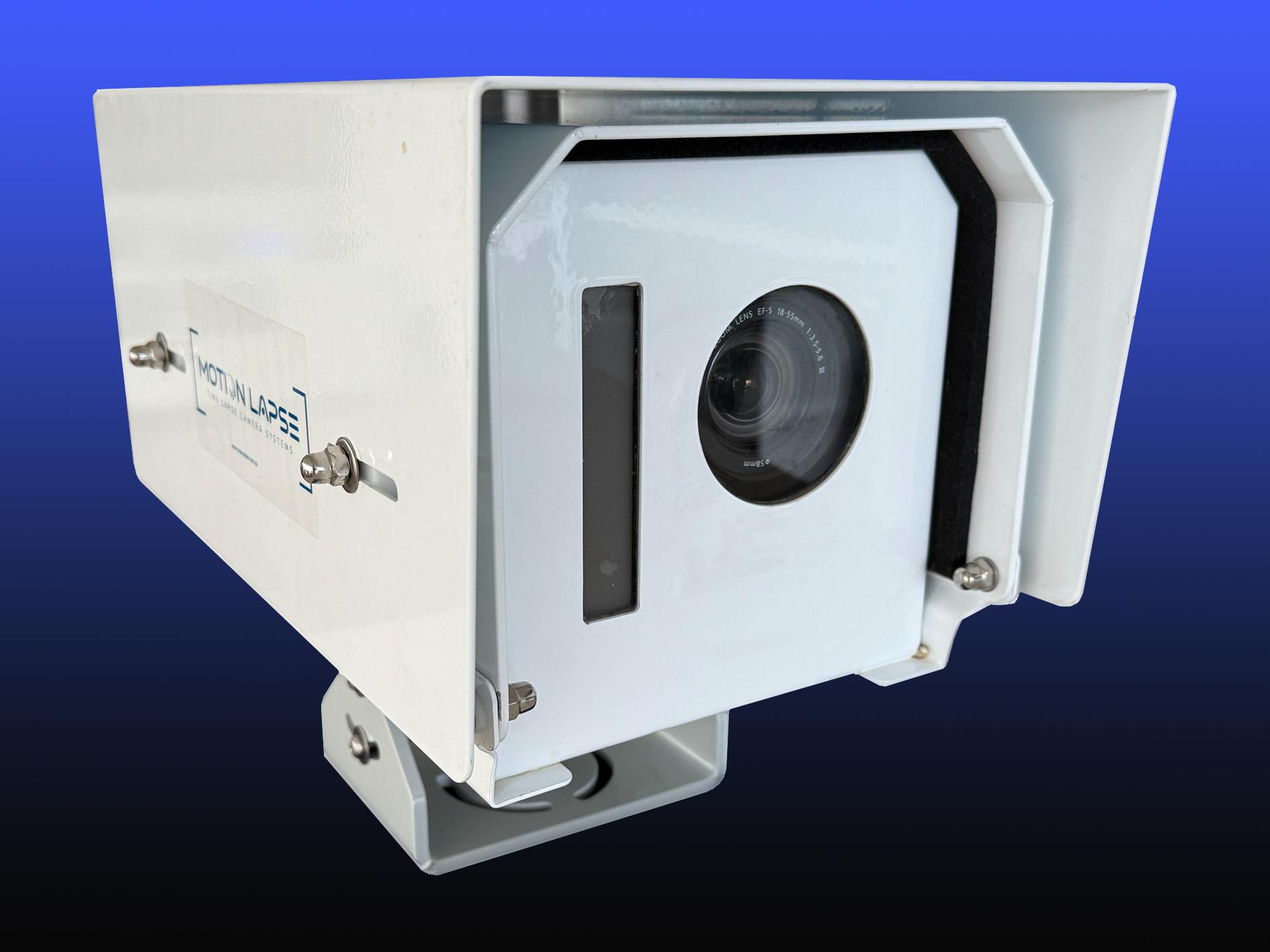
Resolution, frame rate and image quality
Resolution affects how much detail an image can show, while frame rate matters when the output includes moving video. For a progress record, assess the actual view at the times of day when it will be captured, not just the resolution printed on a product sheet. Think about changing light, glare and the distance between the camera and the work. This capture-scheduling and storage reference is a reminder to consider the recording plan and where its output will go as linked decisions.
Time-lapse intervals and recording capacity
Capture intervals determine how frequently the camera records images; recording capacity and storage determine how well that plan can be maintained. Consider the project’s phases and the amount of footage the team expects to keep. A schedule that produces more images than the team can manage may add work without improving the record. Check the proposed interval and expected storage needs together, then review the arrangement when the programme changes.
Connectivity, live viewing and data storage
Connectivity affects whether footage can be checked remotely and how it is transferred or accessed. Before choosing an option, establish what connection is available at the camera position and what the project team needs to do with the imagery. Storage arrangements should also reflect access permissions, retention expectations and any project requirements for records. The table below can help turn those questions into a practical comparison.
| Consideration | Question to ask | Why it matters |
|---|---|---|
| Site connection | What connectivity is available at the mounting point? | Affects remote access and transfer planning. |
| Live viewing | Who needs to check the view, and how often? | Helps define access and update expectations. |
| Storage | Where will captured files be kept? | Supports a clear approach to access and retention. |
| Retrieval | How will the team find footage later? | Makes review and reporting more manageable. |
Treat the answers as part of the camera decision, not as tasks to leave until after installation. If the site connection or storage plan changes, the team should revisit how it will access and manage the record.
Power options and backup requirements
Power planning should account for the camera’s location, the duration of the project and how practical it is to access the equipment. Ask what supply is available and what the plan is if that supply is interrupted. The answer may affect mounting choices and maintenance visits as much as camera selection. Confirm the proposed arrangement against the actual site conditions rather than assuming a power option will suit every location.
Choose a camera for your site
A suitable camera is one that can keep delivering a useful view throughout the work, not simply one with an appealing list of features. Project duration, site size, weather exposure and changes in the working area all affect the choice. A setup that is easy to position at the start may become less useful as the build progresses. Think through those changes before deciding what to install.
Match the camera to the project’s duration and scale
The length and scale of a project influence how long equipment must remain in place and how much of the site needs to be visible. A long programme makes stable mounting, ongoing access and storage planning especially relevant. For a larger site, one viewpoint may not show every area the team wants to review. Define the intended coverage and the project stages first, then compare camera options against that brief.
Compare fixed, portable and solar-powered setups
A fixed setup can provide a steady viewpoint, while a portable option may be considered when the work area or camera position is likely to change. Solar power may be relevant where the site conditions and installation allow for it, but its suitability should be assessed rather than assumed. Compare arrangements by asking how each will be installed, checked and adjusted over the project. This camera installation guide offers further prompts on position, capture settings, power and remote access.
Check weather resistance and operating conditions
Equipment intended for a construction site needs to suit its actual exposure. Consider rain, dust, direct sun, wind and any other conditions at the planned location, then check the system’s stated operating limits. Access for inspection and cleaning matters too: an exposed camera that cannot be reached safely may be difficult to maintain. Confirm the environmental requirements with the supplier before installation.
Consider mounting position and field of view
A useful position gives the camera a clear view of the work without unnecessary obstructions or unwanted areas in frame. Height, direction, changing shadows and future construction activity can all affect the image. Walk through the planned view from the camera’s perspective and check how the site may change around it. Where a single position cannot cover the necessary area, consider whether another viewpoint or a later relocation is more appropriate.
Plan installation and ongoing operation
Installation sets the conditions for the visual record that follows. A clear view and stable mounting matter, but so do access, connection testing and a schedule for routine checks. Plan these details with the site team so the camera does not conflict with work or create avoidable access issues. A short test before leaving the system unattended can uncover problems while they are still straightforward to address.
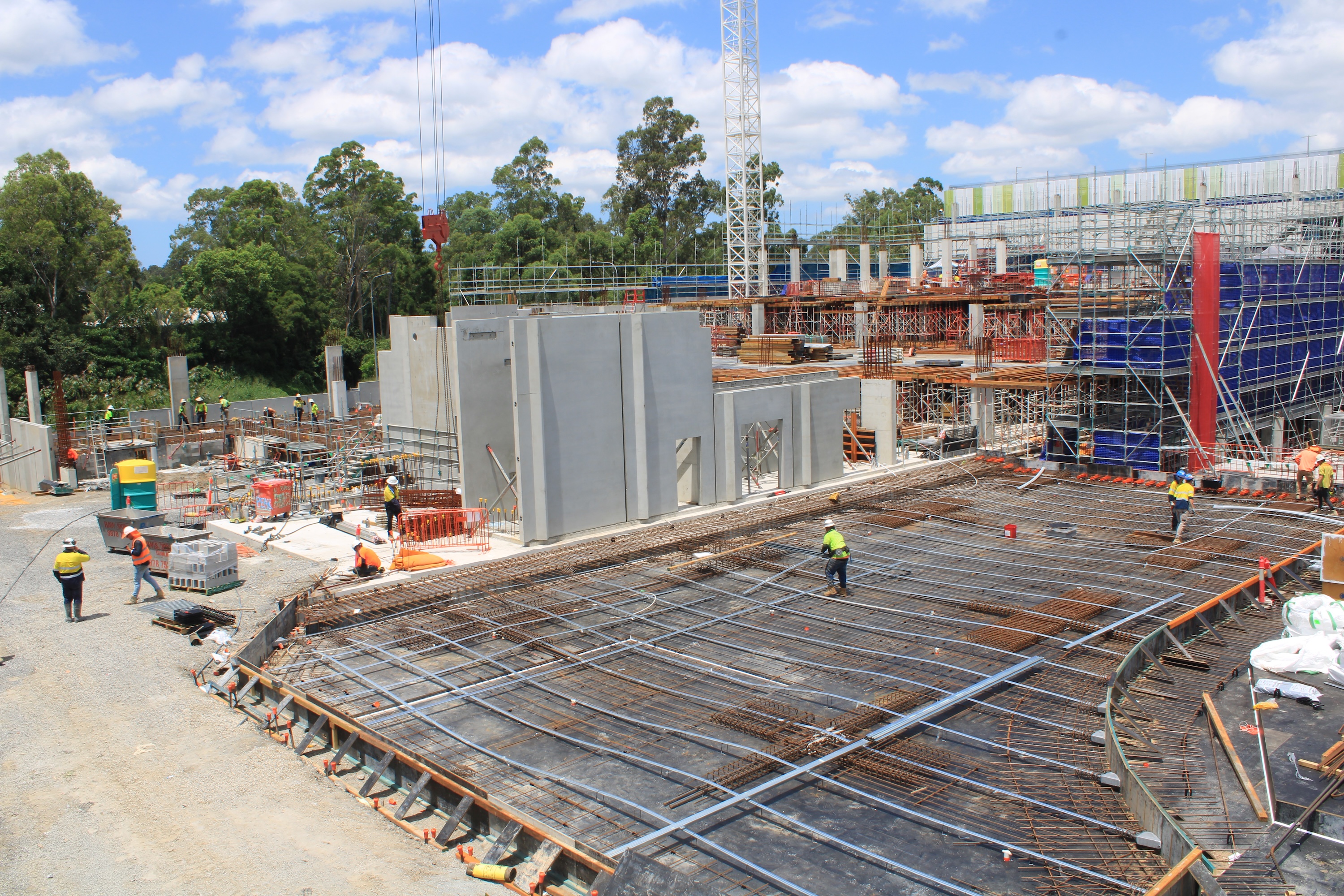
Select a secure vantage point with a clear site view
Choose a position with a stable mount and a view of the work that matters to the project team. Check for cranes, vegetation, temporary fencing or future structures that may obstruct the image as the site changes. The mount should be difficult to disturb during normal activity, while remaining accessible for planned servicing. Make sure the selected angle does not unnecessarily include neighbouring properties or areas outside the project.
Set capture intervals around the work schedule
Capture intervals should reflect the pace and type of visible work. Consider the project’s key milestones and whether the footage is intended for close progress review or a broader time-lapse record. When the programme shifts, revisit the schedule so the images continue to represent meaningful changes. A capture plan is more useful when it follows the work rather than being set once and forgotten.
Test connectivity and image quality before leaving the camera
A commissioning check should confirm that the image is framed as intended and that the team can access the view in the way it expects. Review the image under the site’s actual conditions, including the relevant light and connection environment. Before leaving the camera to operate, work through a compact set of checks:
- Confirm the camera is firmly mounted and aimed at the intended area.
- Review image clarity and framing from the access point the team will use.
- Check that the planned capture schedule is active.
- Confirm that the team knows how to report a fault or request a change.
These checks do not replace ongoing monitoring, but they help catch setup issues early. Record the chosen position and settings so the team can compare later images with the original plan.
Schedule maintenance, cleaning and storage checks
A camera left in place still needs periodic attention. Dust, rain, site activity or a shift in the work area can affect the view, while storage and access arrangements may need review as the project proceeds. Decide who will check the equipment and how often, with safe access in mind. A simple maintenance record can help the team track any adjustments and understand gaps in the footage.
Make footage useful to your project team
Images become more useful when people can find them, interpret them and share them appropriately. Agree on a filing approach early, and make sure the team knows which view or date relates to each update. Footage can support discussion about progress and visible site changes, but it should be considered alongside the project team’s other information. Consistent handling makes the visual record easier to use across the project lifecycle.
Organise files by date, zone and milestone
Choose a naming convention that lets a reviewer locate footage without needing to remember who captured it or when it was saved. Dates, site zones and relevant milestones can form the basis of a predictable structure. If the team maintains a broader reference library, keep unrelated subjects clearly separated from project imagery—for example, material about bird exclusion, the Ron Clark Academy House System, True Appliance Repair, Hulu Kapuas kratom or packing and unpacking services. Clear separation helps prevent unrelated records from being confused with construction footage.
Share live views and progress reports with stakeholders
Not every stakeholder needs the same level of access or the same update frequency. Agree who should be able to view the camera, what should be included in a progress update and how the imagery will be shared. Construction Time Lapse Specialists combines time-lapse systems with 4K cameras, drone imaging and high-resolution photography for visual monitoring. That multi-perspective approach may suit projects where a single fixed view is not enough to represent the work.
Use footage to review sequencing and site changes
A sequence of images can help the team revisit when visible changes occurred and how work areas developed. It can prompt useful questions in a progress review, such as whether an area was accessible when planned or when a particular phase became visible. Treat the footage as a visual record to support discussion, rather than as a substitute for project documentation or professional judgement. Consistent dates and context make that review easier.
Keep image quality consistent across the project
Consistency depends on more than selecting a resolution once. Keep the camera position and settings stable where possible, and record any changes that cannot be avoided. If the camera has to move, note the date and reason so later viewers understand why the frame has changed. Regular checks help the team spot issues with image quality before a long stretch of footage becomes difficult to use.
Manage costs, privacy and site security
The cost of a camera setup extends beyond the initial equipment decision. Installation, power, connectivity, storage and maintenance all contribute to the practical workload over a project. Privacy and security deserve the same early planning: a camera should capture what the project needs without creating unnecessary exposure. Documenting these decisions helps the team keep the arrangement clear as responsibilities change.
Account for hardware, connectivity and storage costs
Compare the full operating arrangement, including installation, expected connectivity use, storage and any planned servicing. The balance will vary with site conditions and how the team intends to use the footage. Ask what is included in the proposed service and which ongoing tasks remain with the project team. A clear comparison of expected costs is more useful than considering the camera hardware alone.
Protect equipment against theft and tampering
Consider the camera’s mounting location and how site access is managed. A secure position should reduce avoidable interference without making routine inspection impossible. Include the equipment in the site’s normal security planning, and establish a way for staff to report damage or a changed view. If the camera is disturbed, record the incident and check whether the footage or installation needs attention.
Avoid capturing neighbouring properties or sensitive areas
Set the camera angle to focus on the project area and avoid including private or sensitive spaces where they are not needed. Review the frame during installation and again if the camera is moved or the surrounding site changes. Project requirements and local obligations can differ, so confirm the appropriate approach with the responsible project personnel. A careful view reduces unnecessary collection and makes the purpose of the camera easier to explain.
Set access controls and retention policies
Decide who can view or retrieve footage and how long the project needs to retain it. Access should match project responsibilities, while the retention period should reflect the team’s record-keeping needs and applicable requirements. Review those arrangements when staff roles change or the project reaches a new phase. Clear policies help protect the footage and make it easier to manage at closeout.
Discuss your camera needs
For a project in Brisbane or Queensland, contact Construction Time Lapse Specialists to discuss construction time-lapse photography and camera installation, or get in touch about the right approach for your site.
Conclusion
Choosing and using a 4K construction camera well means matching image quality, viewpoint, capture plan and ongoing management to the work itself. With thoughtful installation, regular checks and clear arrangements for sharing and retaining footage, the camera can contribute to a more useful visual record throughout the project.