Key Takeaways
Remote monitoring works best when it is tied to clear measures, a dependable capture routine and timely follow-up. Use visual evidence to inform decisions, while keeping inspections and professional judgement in the picture.
- Agree what “on track” means before monitoring begins.
- Choose tools and capture schedules that suit the site and project risks.
- Compare dated visual evidence with milestones and reported work.
- Give people clear responsibility for uploads, checks and actions.
- Treat remote monitoring as support for—not a replacement for—site inspections.
Set clear goals and progress measures
Remote monitoring is useful when it answers a practical question about the project, rather than simply generating more images. Before selecting tools or setting a reporting rhythm, decide what the team needs to see and how the information will guide decisions. This gives builders, project managers and stakeholders a shared basis for discussing progress.
Define what “on track” means for the project
“On track” can mean different things to different people, so define it in terms that can be checked. A project team might assess whether a planned activity has started, whether a milestone is complete, or whether an issue threatens the next stage of work. Describe the evidence that would support each status, and distinguish a confirmed observation from an estimate or assumption. This kind of measurable progress tracking helps keep status conversations grounded in agreed criteria.
Choose milestones that reflect the construction programme
Select milestones from the construction programme, not from an arbitrary photo schedule. They should mark stages that matter to project control, such as the completion of a defined work package or a transition to a dependent activity. A simple reference table can make the review process more consistent across reporting periods.
| Milestone | Evidence to review | Follow-up question |
|---|---|---|
| Work package starts | Dated site images and update | Has the planned activity begun? |
| Stage reaches a checkpoint | Images from agreed viewpoints | Is visible work consistent with the checkpoint? |
| Handover to a dependent task | Site evidence and programme status | Is the next activity ready to proceed? |
The table is a prompt for discussion, not a substitute for the programme or a formal inspection. Adapt the evidence to the work being monitored, and note where an image cannot confirm completion on its own.
Agree on progress measures with contractors and stakeholders
Agree on measures before the first reporting cycle, including who provides the information and how often it will be reviewed. A useful status update separates completed work from work in progress, and makes clear what is delayed or awaiting confirmation. Settle on common terms for reporting variance so that the same words mean the same thing across the project team. For a broader overview of remote site monitoring, consider how visual evidence can support decisions without standing in for on-site review.
Choose the right remote monitoring tools
The right toolset depends on what the project needs to observe, how often it needs an update and what conditions exist on site. A camera, aerial image and mobile update each provide a different kind of information; none should be selected simply because it is available. Start with the monitoring goal, then check whether each tool can contribute useful evidence to it.

Compare site cameras, drones and mobile reporting
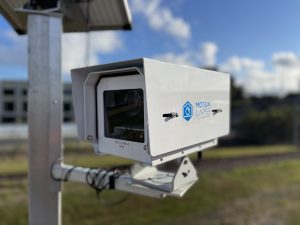
A fixed camera can provide a consistent view over time, while drone imaging can capture an aerial perspective and mobile reporting can add context from people working on site. These sources can complement one another, but they do not answer every question in the same way. Construction Time Lapse Specialists provides construction time-lapse camera solutions for projects, alongside drone imaging and high-resolution photography. Compare the options against the site’s access, capture frequency and reporting needs; guidance on remote camera planning can help frame questions about coverage and connectivity.
Connect project management and scheduling software
Decide how visual updates will relate to the project’s existing programme and reporting process. If information is stored in several places, agree on a straightforward method to reference the relevant milestone, date and work area in each update. Avoid assuming that a camera or image service automatically connects to scheduling or project management software; check the actual workflow with the people who will use it. A clear link between evidence and programme helps keep reviews useful rather than creating another disconnected feed.
Check connectivity, compatibility and site coverage
Before installation, check where equipment can be positioned, what power and connectivity are available, and whether the resulting view covers the areas that matter. Consider whether access arrangements, changing site layouts or surrounding structures may affect the capture. Construction Time Lapse Specialists provides durable camera systems with secure remote portal access for viewing site progress. Confirm the practical setup with the provider, and arrange an alternative reporting method for periods when the connection or view is unavailable.
Match the toolset to project size and risk
A smaller project with a stable sequence of work may need a modest capture routine, while a large or complex site may call for more viewpoints and more frequent review. The decision should reflect the consequences of missing a change, the spread of the work and the reporting needs of stakeholders. If you are considering an installation for a particular project, discuss a camera setup and the coverage it needs to provide. A construction monitoring plan can also help clarify the intended role of cameras, sensors and other records.
Create a consistent site data routine
A regular routine makes images and updates easier to compare across the life of a project. It also gives people a clear expectation of when information will be collected, uploaded and reviewed. Consistency matters more than collecting material without a defined purpose.
Set a schedule for photos, video and updates
Set capture intervals around the pace of work and the milestones the team has agreed to monitor. A schedule should be frequent enough to show meaningful changes, while remaining manageable for the people responsible for reviewing the material. Keep the timing consistent where possible and record any missed capture or interruption, rather than implying that the record is complete. Construction Time Lapse Specialists provides high-resolution photography to support visual records across a project lifecycle.
Capture repeatable views from agreed locations
Repeatable viewpoints make it easier to notice change between reporting periods. Agree on the locations and framing in advance, and record where each view is taken so someone else can reproduce it if needed. A few clearly defined views are often more useful for comparison than a large collection of images from inconsistent angles. For aerial imagery, plan the capture so it can be compared responsibly with earlier records.
Record work completed, delays and site conditions
Images rarely explain the full story on their own. Pair them with a short note stating the date, work area, activity observed and any relevant delay or site condition. This helps the reviewer distinguish visible evidence from the project team’s interpretation of it. Clear records are useful in many settings, including guides to solar panel efficiency and custom gutter installation, where the work being documented is quite different but the subject still benefits from specific context.
Assign responsibility for uploads and checks
Name the person who collects each update, the person who checks it and the person who follows up on gaps. A compact handover can help the team avoid uncertainty about who owns the next step:
- Upload the scheduled images and notes to the agreed location.
- Check that dates, viewpoints and work areas are identifiable.
- Flag missing evidence or unclear status for clarification.
- Record who will respond and when the follow-up is due.
Use the same routine for every reporting period, and update it when responsibilities change. While these examples concern construction, practical guidance in other fields also stresses clear roles, from remodelling contractor marketing to PetRide seat protection and resource guarding guidance.
Verify progress against the plan
Remote evidence is most useful when it is checked against the project’s agreed plan, rather than treated as a complete account of site progress. A consistent review can help the team spot a difference early and decide whether more information is needed. Keep the distinction clear between what an image shows and what must be confirmed by a competent person on site.

Compare site evidence with programme milestones
Review images and updates alongside the relevant programme milestone and the date it was expected to be reached. Look for visible changes that correspond with the planned stage, but avoid declaring a task complete from a view that cannot establish its full scope. When a milestone is not visually confirmable, record what other evidence or site check is needed. Dated visual records can make the comparison easier to follow from one review to the next.
Check reported quantities against completed work
Where a progress update includes quantities, compare the report with the evidence and the agreed measurement method. Images may help provide context, but they will not establish every quantity or concealed element. If the record does not support the figure, ask for the relevant measurement, record or confirmation before changing the reported status. This keeps the review factual without overstating what remote observation can establish.
Flag discrepancies and request clarification
Describe a discrepancy plainly: identify the work area, the date, the reported position and what the available evidence appears to show. Ask the responsible person for clarification and set a time for the response, rather than drawing a conclusion from incomplete information. Keep the original update and the clarification together so later reviewers can follow how the status was resolved. A reliable visual record should support a fair review, not become a substitute for the people responsible for the work.
Track dependencies that could affect upcoming work
Review upcoming activities for dependencies that might be affected by a delay or incomplete work. Note the connection between the current issue and the next planned activity, then assign someone to confirm whether the programme or sequence needs attention. A remote progress review can identify a question for the team to resolve; it cannot, by itself, establish that every prerequisite is satisfied. This is one reason to plan visual monitoring around the project’s broader controls.
Share updates and act on issues
A monitoring process is only useful if the information reaches the people who can respond to it. Reports should give stakeholders enough context to understand the status, while leaving unnecessary detail out of the main update. Make it easy to find supporting evidence and clear who is responsible for each action.
Build concise reports for different stakeholders
Tailor the amount of detail to the reader, while keeping the underlying facts consistent. A short stakeholder summary might include the reporting date, milestone position, notable change, open issue and next action. Keep supporting images and records available for people who need to check the detail. Clear visual updates can support stakeholder communication, especially when everyone is working from the same dated evidence.
Use a shared system to assign and track actions
Record each action in a place the relevant team members can access, with an owner and due date. Link it to the issue or update that prompted it so the reason for the task remains clear. Check the action log during the next review and close items only when the outcome is recorded. A shared process reduces the chance that an important follow-up stays buried in a message thread.
Escalate delays, safety concerns and quality issues
Set out in advance which types of concern need immediate escalation and who should receive them. A visual update may flag a possible safety or quality issue, but it does not replace the appropriate site response or inspection. Follow the project’s established procedures, document who was notified and note what further assessment is required. The same discipline applies to potential delays: communicate the observed issue and its likely programme relevance without presenting an unconfirmed impact as fact.
Record decisions and changes for future reference
Keep a dated record of decisions, changes to the plan and the reasons they were made. This gives future reviewers a way to understand why a milestone moved or why the monitoring routine changed. Store the supporting update with the decision where practical, and make sure the record is available to the people who need it. A consistent history is more useful than relying on memory after the site has moved on.
Manage remote monitoring risks
Remote monitoring improves visibility, but it also creates responsibilities around access, storage and interpretation. Plan for limitations before they affect a reporting cycle, and make sure the people using the information understand what it can and cannot confirm. A sound process treats the visual record as one part of project oversight.
Protect site images and project data
Treat site images and project records as information that needs appropriate protection. Use agreed storage and sharing arrangements, and check that the people handling images understand the project’s requirements. Consider whether the material includes sensitive areas or personal information, and follow applicable project policies and obligations. Good handling practices preserve confidence in the record as well as its usefulness.
Set access permissions and retention rules
Decide who needs to view, upload or manage monitoring material, then assign access accordingly. Agree how long records should be kept and what happens when a project closes or responsibilities transfer. Review permissions when project roles change, rather than leaving former team members with access by default. Clear rules make remote access more manageable over the project lifecycle.
Account for blind spots, poor connectivity and weather
Every setup has limitations. A fixed viewpoint can miss work outside its frame, connectivity can interrupt access, and weather can affect visibility or equipment. Record those gaps when they occur and use another suitable source of information when a decision depends on it. For an aerial capture, plan around site conditions and safe operating requirements rather than assuming the same view will always be available.
Confirm that remote checks support—not replace—site inspections
Remote checks can help teams decide where to focus attention, but they cannot assess every condition or replace the judgement of people conducting site inspections. Set out which matters need direct inspection and who is qualified to carry it out. Treat a camera view as an additional record, then arrange an on-site check when the evidence is incomplete or the risk calls for it. This keeps remote monitoring in its proper role: useful support for project oversight, not a substitute for it.
Conclusion
To monitor construction progress remotely, start with agreed measures, choose tools that suit the site and build a dependable routine for capturing, checking and sharing evidence. Keep progress claims tied to what the records can actually show, and use remote visibility alongside inspections and professional judgement. For a project-specific discussion about construction time-lapse cameras, drone imaging or photography, contact the team to explore an approach suited to your site.