
Key Takeaways
A useful visual record starts with a clear purpose and a workable site routine. Keep the capture method, viewpoints and file handover aligned with the needs of the project team.
- Decide what the images need to document and who will use them.
- Set repeatable viewpoints, milestones and capture intervals.
- Coordinate photography with site access, safety and construction activities.
- Use ground-level, aerial or time-lapse imagery according to the task.
- Organise and share files so they remain useful throughout the project.
Why document construction progress
Construction progress photography in Brisbane can give a project team a clear record of how a site changes over time. It is most useful when the images answer practical questions, rather than simply documenting activity without context. Agree on what needs to be visible and who will refer to the record. That simple step helps the photography serve both day-to-day communication and later reporting.
Create a clear visual record of work completed
Photographs can show the state of work at a particular date, including areas that will soon be covered or changed. A consistent series gives readers context that a single image may lack: where the view was taken, what stage the work had reached and how it relates to earlier visits. Keep a record of capture dates and viewpoints, and note any significant change in site access or framing. These details make the visual record easier to interpret later.
Keep clients and stakeholders informed
Clients and project stakeholders may not visit the site regularly, so well-chosen images can help them understand visible progress between meetings. A small, relevant selection is often easier to discuss than a large folder of unlabelled photographs. Pair images with a brief note on the location and milestone, especially when the view shows a change that needs explanation. The aim is to support a clear conversation, not to imply that images replace formal project updates.
Support project reporting and marketing
The same visual record can serve different purposes, but it helps to establish those uses early. Reporting images may need to show a particular work area, while approved promotional photographs might focus on the project’s scale or finished details. Keep the intended audience in mind when deciding what to capture and how images will be selected. For a broader view of planning and using site images, see this construction photography planning guide.
Help identify changes and resolve disputes
Dated photographs can help a team review what was visible at a given point in the programme. They may prompt a closer check when a condition or sequence is unclear, but they do not replace site records, contract documents or professional advice. To make comparisons meaningful, record the location and viewpoint and retain original files. A dependable record supports a more informed review without making claims beyond what the images show.
Plan a photography programme
A practical photography programme begins with the decisions the images need to support. It should fit the site’s work sequence and the people who need to review the results. Establishing the routine before capture begins reduces gaps and makes repeat visits easier to compare. Keep it simple enough that the team can maintain it as the site changes.
Set goals, milestones and reporting intervals
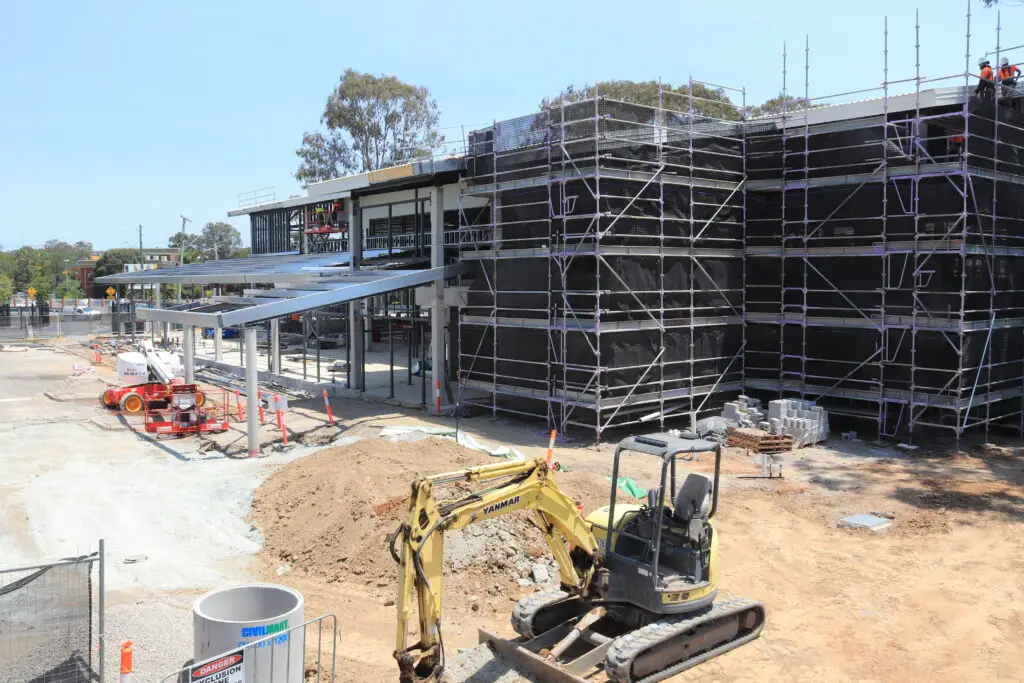
Start by identifying the questions the images should help answer: what has changed, which milestones need a record, and who will use the images. The schedule can then follow those needs rather than defaulting to an arbitrary frequency. This table is a useful starting point for matching an interval to the work being documented.
| Capture point | Possible interval | Useful for |
|---|---|---|
| Major milestone | At the agreed milestone | Recording a defined stage of work |
| Active work area | Regular visits during the activity | Comparing progress in a changing zone |
| Project-wide view | At planned reporting intervals | Showing overall site context |
Adjust the plan when the programme changes, and note why an image was captured outside the usual routine. That small explanation can prevent confusion when the image set is reviewed months later.
Choose priority viewpoints and areas
Select views that show meaningful relationships between work areas, access routes and the wider site. A fixed viewpoint supports comparison, while closer photographs can help explain details that a broad view cannot show. Mark locations on a site plan or record a simple description, and consider whether later construction will block the view. A construction time-lapse camera guide can help teams think through goals and mounting positions when planning fixed capture.
Coordinate access with site and safety teams
Photography needs to fit the site’s access rules, induction process and current work conditions. Agree who will arrange access, which areas are restricted, and how a photographer should check in before each visit. This avoids last-minute disruption and helps the team plan around active work zones. Before briefing a provider, teams can request a project quote based on the agreed scope and schedule.
Align the schedule with the construction programme
Capture dates should reflect the pace and sequence of the work, not just calendar convenience. Check the programme for milestones, planned shutdowns, major pours or other activities that may be important to document. A few simple coordination steps can keep the photography routine connected to the project plan:
- Nominate a project contact to confirm dates and access.
- Flag milestones that need a dedicated capture.
- Review the schedule when the programme changes.
- Record missed visits and arrange a suitable follow-up.
Revisit the schedule at project meetings so it stays realistic as conditions shift. The right interval is the one that captures useful changes without creating avoidable site demands.
Choose the right capture method
No single method suits every view or purpose. Ground photography can show detail at a human scale, while aerial images can help convey the layout and extent of a site. A fixed camera is suited to repeated views over a longer period, and scheduled visits can focus on particular milestones. Choose according to the question the image needs to answer and the practical conditions on site.
Compare scheduled photography with live monitoring
Scheduled photography suits teams that need selected views at agreed stages or intervals. A fixed camera system offers a continuing perspective, which can be useful when stakeholders need to review progress remotely. For example, MotionLapse camera systems provide high-resolution images and 4K timelapse videos through a secure online portal, with 4G/5G connectivity and smart control. Decide whether the project needs occasional documentation, ongoing access, or both before selecting a setup.
Use ground-based images for detail and context
A photographer working from the ground can frame particular features, finishes or work areas in a way that makes them easier to inspect. These images can complement broader views by showing what is happening at a specific location. Agree on the areas to cover and any restrictions before the visit, then keep framing and file labels consistent where comparisons matter. This creates a more useful set than collecting detail shots without a clear purpose.
Add drone photography for site-wide views
An aerial perspective can communicate the overall layout and how different areas relate to one another. It may be useful for planned progress updates or for showing a property and its surroundings, provided the flight is appropriate and authorised. The business offers Aerial Photography for drone aerial photos and videos, as well as drone asset inspection services. Treat each flight as a planned part of the programme, with site coordination and relevant airspace requirements checked in advance.
Combine stills and timelapse for different needs
Still photographs are useful when a team needs a particular moment or detail; timelapse can condense a longer period of visible activity into a sequence. They answer different questions, so the project brief should describe the required outputs instead of assuming one format will do everything. A fixed viewpoint can support continuity, while selected stills can focus attention on specific milestones. Together, these approaches can provide both an overview and clearer detail when the capture plan is coordinated.
Account for Brisbane site conditions
Local site conditions affect when and how images can be captured. Weather, changing light, access limitations and nearby activity may all influence a planned visit or camera position. Build enough flexibility into the programme to respond safely when conditions change. Good coordination matters as much as choosing suitable equipment.
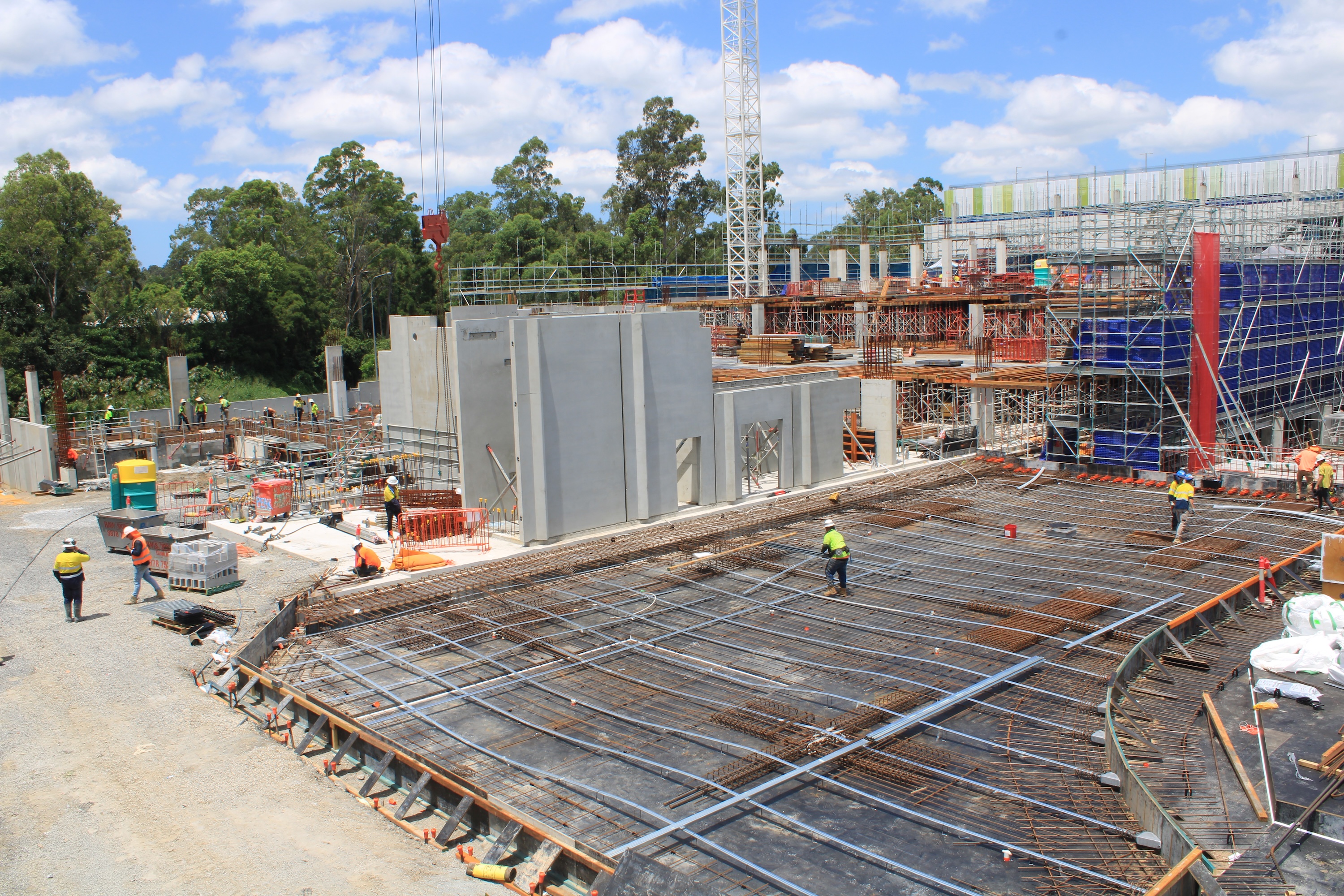
Plan around weather, heat and changing light
Conditions can vary across a project, and a viewpoint that works in one month may be affected by glare, shade or weather at another time. Check forecasts before scheduled visits and allow for a reschedule where visibility or safe access is not suitable. For longer-term capture, consider how the sun’s position and seasonal changes may alter the frame. These checks help maintain a consistent record without treating every planned capture as essential regardless of conditions.
Check site access and nearby airspace requirements
Confirm access with the site contact before a photographer arrives, and check whether planned drone work can be carried out lawfully and safely in the location. Airspace requirements and operating conditions should be verified for the specific flight rather than assumed from a previous visit. Include any approvals, site procedures and timing constraints in the brief. Planning this early reduces the chance that a useful aerial view is unavailable when a milestone arrives.
Protect privacy on active sites
Construction sites may include workers, visitors, neighbouring properties or information that should not be shared publicly. Discuss the intended use of images before capture and identify any areas or details that should be excluded or handled carefully. Apply the project’s privacy and communications procedures when storing and distributing files. When images are selected for external use, confirm that the relevant approvals are in place.
Maintain safe distances from plant and work zones
Photography must not interfere with site operations or put a photographer in an unsafe position. Follow site inductions, directions from supervisors and exclusion zones, and do not enter an active work area to improve a frame. Agree on safe vantage points with the site team before capture begins. If conditions change during a visit, stop and check with the responsible site contact rather than improvising around plant or moving work.
Select a photographer and agree on deliverables
A good brief makes it easier to assess whether a photographer and capture approach suit the project. Look beyond image quality alone: site familiarity, access planning, file delivery and intended use all affect whether the final record will be practical. Confirm expectations before work begins and document any project-specific requirements. This helps avoid mismatched outputs or uncertainty about who is responsible for each step.
Assess relevant construction experience
Ask how the photographer approaches active sites, changing work areas and repeat viewpoints. Relevant experience can include understanding the need to coordinate with site teams and to frame images that make progress legible. Review examples that resemble the project’s scale and setting, then discuss what the images need to show. A clear conversation about the brief is more useful than relying on a portfolio alone.
Confirm equipment, insurance and safety credentials
Confirm the equipment proposed for the job is appropriate to the capture method and site conditions. For any site visit or drone work, ask about the relevant insurance and safety credentials, and check that access requirements can be met. Responsibilities for installation, routine visits and removal should also be understood where fixed equipment is involved. Record these arrangements so the project team knows who to contact if plans change.
Specify image formats, editing and turnaround times
Agree on file formats, image selection, editing expectations and delivery timing before capture starts. If the project needs images for both internal reports and public communications, state that clearly so the output can be planned around those uses. Include the expected frequency of delivery and how any urgent requests will be handled. A precise brief gives everyone a shared reference when the work is underway.
Agree on usage rights, storage and file handover
Set out who may use the images, where they can be published and how long files will be retained. Decide how originals and edited selections will be handed over, and choose a naming approach that preserves dates and locations. If several parties need access, clarify who manages distribution and which versions are approved for external use. These practical details help the visual record remain findable and appropriately controlled.
Make progress images useful over time
A photography programme does not end when the shutter is pressed. Its value depends on whether the team can find, understand and use the images later. Keep the capture routine and file handling predictable, while allowing for sensible changes as the site evolves. Regular review can reveal when a viewpoint or reporting need should be updated.
Keep viewpoints consistent between visits
Repeatable framing makes it easier to compare one visit with another. Record the camera position and direction, and note any change that affects the view, such as new structures or restricted access. Do not force an identical frame if it would compromise safe access or overlook a more relevant stage of work. Instead, document the change so later viewers understand why the series differs.
Label and organise files by date and location
Use a consistent file structure with dates, site areas and, where useful, milestone names. Preserve original files and avoid relying on memory to explain what an image shows. A short index or capture log can link the file to its viewpoint and purpose. This makes later searches quicker and reduces the risk of comparing images from different locations as if they were the same view.
Share updates with the right project stakeholders
Decide who should receive routine updates and how often, then send a focused selection with enough context to interpret it. Keep access appropriate to each recipient and distinguish internal records from images approved for wider circulation. When a particular view raises a question, direct readers to the relevant date and location. That keeps the conversation grounded in the record rather than in an ambiguous image alone.
Repurpose approved images for reports and promotion
A well-managed archive can support project reporting and, where permissions allow, later communications about the completed work. Select images that suit the audience and retain the context needed to describe them accurately. Check approvals and any usage conditions before reuse, especially when people, neighbouring properties or sensitive details appear. A considered selection is more likely to be clear and useful than a large, unexplained image dump.
Conclusion
Plan your next project with Construction Time Lapse Specialists, which provides construction time-lapse cameras and photography across Brisbane and Queensland, with 4K clarity, remote monitoring and expert support; contact the team to discuss a suitable capture approach. A clear brief, repeatable viewpoints and organised files will help project images remain useful from early works through to completion.