
Key Takeaways
A well-planned time lapse records progress clearly without creating unnecessary work for the project team.
- Define the purpose, viewing audience and recording period before hiring equipment.
- Choose camera resolution, coverage and connectivity around the site rather than the brochure.
- Position the camera for a stable, useful view while respecting safety and privacy requirements.
- Confirm installation, support, storage and removal costs before signing a hire agreement.
- Treat the footage as a project record that can also support reporting, marketing and stakeholder communication.
Understanding construction time lapse camera hire
Construction time lapse camera hire provides a consistent way to document a build over weeks or months. Instead of relying on occasional photographs taken from changing positions, the system records the same view at planned intervals. The result is a visual record that can be reviewed during the project and edited into a concise summary later. The best arrangement starts with a clear purpose, not simply a desire to own a video at handover.
What a construction time lapse camera captures
A time lapse camera captures still images at selected intervals, which can then be arranged into moving footage. Depending on the position, the frame may show excavation, structural work, cranes, deliveries, landscaping or the finished building. A high vantage point can explain the overall sequence, while a closer view may show a particular façade or work zone more clearly.
The camera should be treated as part of the documentation plan. Decide what needs to remain visible, how often meaningful changes occur and who will use the material. For a practical starting point, this project planning guide covers goals, placement, schedules and site conditions that affect a dependable record.
How time lapse differs from standard site photography
Standard site photography is usually event-based: someone visits, chooses a useful angle and takes a set of photographs. Time lapse works differently by maintaining a repeatable viewpoint across the recording period. It compresses gradual work into a sequence that makes the relationship between stages easier to understand.
That consistency has value even when no final video is planned. Project teams can compare images, explain changes to stakeholders and retain a dated visual history alongside written records. It does not replace inspections, drawings or formal reports, but it can make the progress story easier to follow.
Projects that benefit most from progress documentation
Long commercial builds, civil works, infrastructure projects and developments with many stakeholders are natural candidates. A visual record can help explain a long period in which progress is real but difficult to communicate through isolated updates. It is also useful when the project team, client or government stakeholder needs visibility without visiting the site every week.
Smaller projects may benefit too, particularly when the completed work will be used as a case study or when access is difficult. The deciding factors are usually the project duration, the value of clear communication and the usefulness of preserving a consistent record—not the size of the site alone.
When to start and finish the recording period
Start early enough to capture the stage that matters to the audience. For many builds, that may be site establishment and earthworks; for others, the useful story begins with the first structural elements or a major installation. Ending at practical completion, handover or a defined milestone is generally clearer than stopping whenever the hire period happens to expire.
Build a little flexibility into the schedule. Delays, weather and changes in the construction programme can shift the most meaningful scenes. Confirm who will approve an extension, how additional capture will be handled and what happens to the images after the camera is removed.
Choosing the right camera system for your site
The right system balances image quality with reliability, coverage and the realities of the site. A camera that produces impressive images but loses power or faces an obstructed view will not create a useful record. Consider the final audience, the distance to the subject and the length of the deployment before comparing specifications.
Construction Time Lapse Specialists provides 4K cameras, drone imaging and high-resolution photography as part of its visual monitoring services, with secure remote portal access for viewing site progress. Those capabilities may suit projects where stakeholders need both a fixed record and broader visual context.
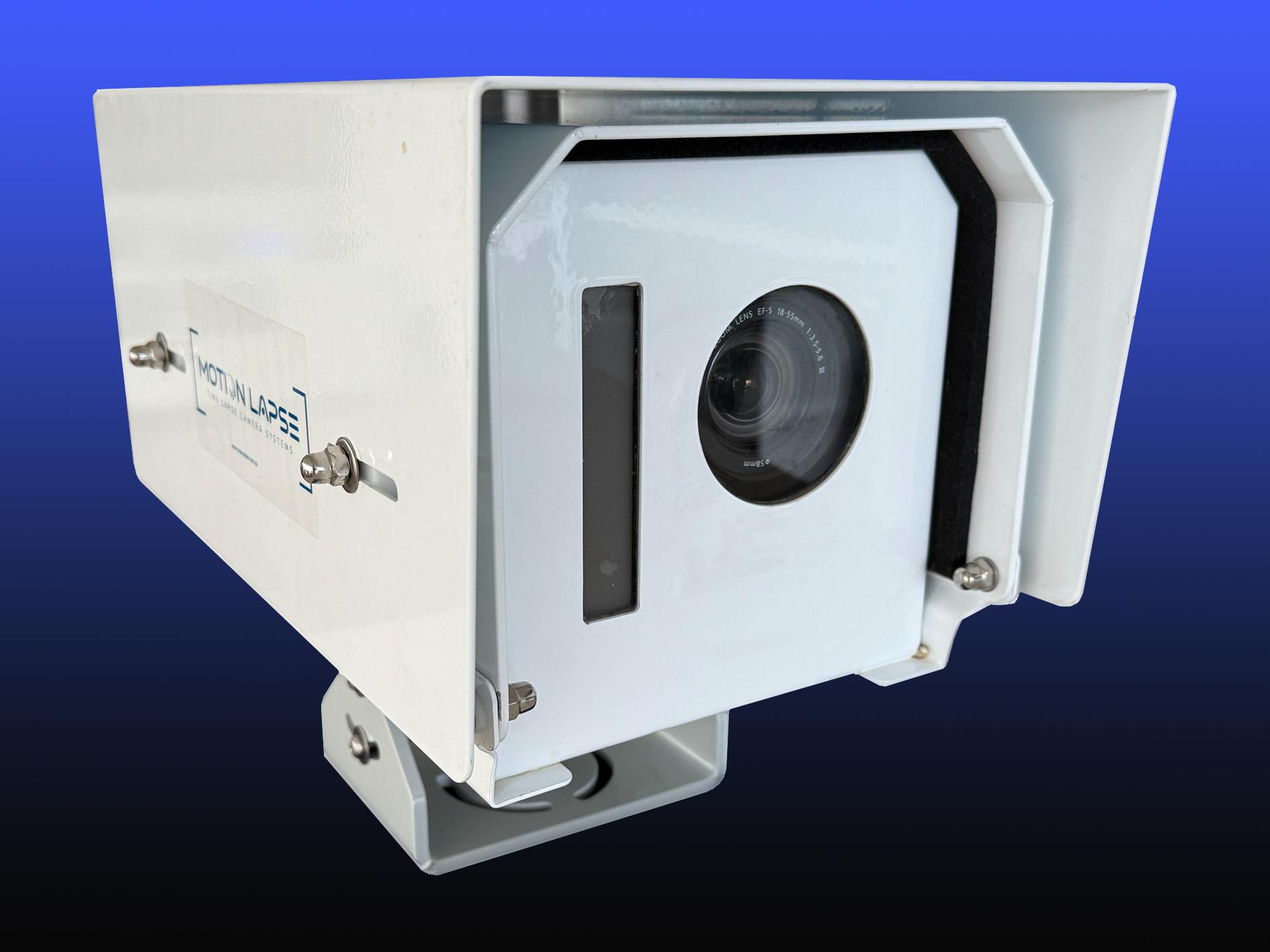
Image resolution, frame rates and viewing angles
Resolution affects how much detail remains when an image is cropped, displayed on a large screen or included in a report. A wide angle may show the relationship between several work areas, while a narrower view can give greater prominence to a particular elevation. The best choice depends on the physical distance, the expected output and whether the camera will remain fixed.
Frame rate is primarily relevant to the finished sequence. A long project does not need the same capture frequency as a short, rapidly changing activity. More images can create a smoother result, but they also increase storage and review requirements, so the interval should reflect actual site activity.
Fixed, pan-tilt and multi-camera setups
A fixed camera is straightforward and dependable when one carefully selected position covers the project. A pan-tilt arrangement can provide more than one view, while multiple cameras may be justified where buildings, terrain or distance make a single frame insufficient. Additional viewpoints should answer a real coverage problem rather than simply add visual variety.
Draw a simple site plan before installation. Mark the main works, likely obstructions and areas that need to remain visible at key milestones. This makes it easier to decide whether one stable viewpoint is adequate or whether separate angles are necessary.
Weatherproofing, power and site connectivity
Outdoor construction equipment must cope with sun, rain, dust and vibration over a long deployment. Ask how the system will be powered, what happens during an outage and whether the chosen position has dependable connectivity. A plan for battery, mains or alternative power should be agreed before the camera arrives on site.
Connectivity affects remote access and image transfer, but it should not be treated as an afterthought. Check signal strength at the proposed mounting point, clarify what data service is included and establish how missed images will be identified. The more remote the project, the more valuable a clear maintenance plan becomes.
Mobile alerts and remote camera access
Remote access can reduce unnecessary trips when the purpose of the system includes progress visibility. It should allow authorised users to review recent images or confirm that the camera is operating, subject to the service and connectivity provided. Set expectations about who receives access and how frequently the project team will review the material.
A remote view is most useful when it supports a routine. For example, the site manager might check the image before a progress meeting, while the communications team reviews suitable milestones later. That turns the camera from a passive recording device into a practical part of project coordination.
Planning camera placement and site coverage
Placement often has a greater effect on the finished result than a small difference in camera specifications. The position needs a stable mounting point, a clear view and enough height or distance to show change over time. It should also remain practical for installation, inspection and removal as the site develops.
Treat the first framing decision as a project decision. A camera can record every day and still miss the work that matters if a hoarding, crane, growing structure or temporary building blocks the view.
Selecting safe and useful mounting points
Choose a point that is stable, secure and unlikely to be moved during ordinary construction activity. Roofs, poles, site structures and elevated edges may offer useful views, but each requires a safety and access assessment. The camera should not create a hazard, obstruct plant movement or require workers to take unnecessary risks during maintenance.
Allow for the scene to change. A view that is open during excavation may become crowded once the structure rises. Before agreeing to the mount, consider the likely building height, crane movements, scaffolding and temporary fencing throughout the recording period.
Framing key construction milestones
A good frame gives the viewer enough context to understand what has changed. Keep important areas visible, leave room for vertical growth where possible and avoid aiming directly into a low sun if it will make later images difficult to use. If the project has several distinct stages, identify the view that best explains the overall sequence rather than focusing only on the most photogenic angle.
Discuss the intended milestones with the project manager. Excavation, slab pours, structural completion, façade installation and landscaping may all matter, but their visibility depends on the camera position and capture interval. This conversation helps align the visual record with the construction programme.
Managing changing site layouts and obstructions
Construction sites are temporary environments, so a clear view cannot be assumed to remain clear. Hoardings move, cranes rotate, materials accumulate and adjacent works can enter the frame. Record the original position and review the image periodically so that a problem is noticed while it can still be corrected.
Where a change is unavoidable, document it rather than pretending the sequence is continuous. A note in the project records can explain a camera relocation, a period of obstruction or a revised angle. That context protects the usefulness of the final footage.
Meeting safety, access and privacy requirements
The camera installation should fit within the site induction, permit and access arrangements. Confirm who can enter the area, how maintenance will be carried out and whether nearby properties, public spaces or workers could appear in the frame. Privacy expectations should be discussed before recording begins, especially on busy urban sites.
Keep the equipment outside normal work paths where possible and use secure mounting and cabling. The visual record is valuable only when it can be collected without introducing a new safety or security concern.
Comparing construction time lapse camera hire options
Hire arrangements vary from equipment supplied for the client to operate through to a managed service covering planning, installation, monitoring and removal. The cheapest headline price may not be the lowest total cost if the project team must solve connectivity, storage or maintenance problems themselves. Compare what is included as carefully as the camera itself.
A useful comparison separates the recording equipment, site work and ongoing support. Ask for the full period from initial survey to final delivery, not just the number of months the camera is expected to capture images.
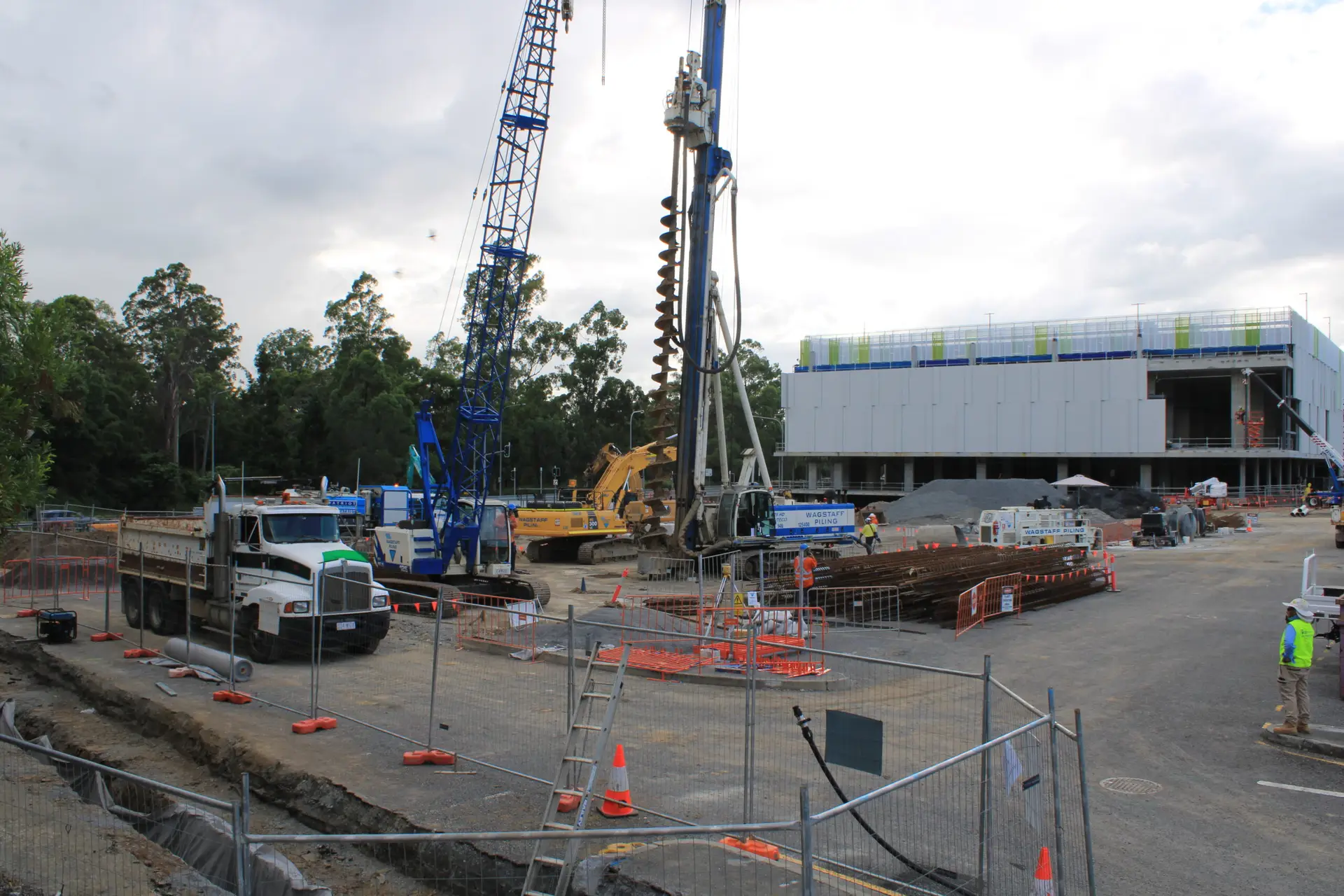
Equipment-only hire versus managed services
Equipment-only hire may suit a team that already has the technical knowledge, safe access and time to monitor the system. A managed arrangement is more suitable when installation, checking and data handling would otherwise fall between several people’s responsibilities. The decision should reflect the site’s remoteness and the consequences of a missed recording period.
Construction Time Lapse Specialists focuses on construction time lapse photography and camera installations, with high-quality cameras, remote monitoring and expert support described for projects across Brisbane and Queensland. When comparing providers, check that the proposed service matches the location, duration and visual purpose of your build rather than assuming every package is equivalent.
Rental periods, installation and removal costs
Ask whether the quote includes a site assessment, mounting hardware, commissioning, scheduled maintenance, removal and any extension beyond the original term. A project that runs late can need the camera for several additional months, and the cost of that extension should be clear before the first installation.
Also confirm what happens if the chosen position becomes unavailable. A practical agreement should explain relocation requirements, access responsibilities and any charges for returning to site. Clarity at this stage prevents a small programme change from becoming a difficult commercial discussion.
Data storage, monitoring and technical support
Images need a reliable path from the camera to the people who use them. Ask where the files are stored, how long they remain available, whether downloads are provided and how access is controlled. For remote projects, the support process matters just as much as the storage platform.
A service that includes monitoring should explain what is checked and how an issue is escalated. Some providers describe remote site visibility, monthly reporting and time-stamped records, which are useful benchmarks when you are comparing inclusions. Make sure any promised reporting frequency suits your project meetings and stakeholder commitments.
Questions to ask before signing an agreement
A short written checklist can expose gaps that are easy to miss in a sales conversation. It also gives the project team a consistent basis for comparing quotes from different service models.
- What is included in installation, maintenance and removal?
- How are power, connectivity and image failures handled?
- Who owns the images, and how can authorised users access them?
- What happens if the programme changes or the camera must be moved?
The answers should be specific enough to inform a programme and budget. If an important item is described only as “standard support”, ask what that means in practical terms for your site.
Managing a time lapse project in Australian conditions
Australian construction sites can expose equipment to intense sun, sudden rain, dust, salt air and large temperature changes. Conditions vary widely between a Brisbane urban site, a coastal development and a remote infrastructure project. The camera plan therefore needs to consider the local environment rather than rely on a generic outdoor setup.
Include environmental risks in the site assessment and decide how they will be checked during the hire period. A small amount of planning can prevent a weather event or access issue from interrupting months of work.
Preparing for heat, rain, dust and coastal exposure
Direct sun can affect equipment and image consistency, while dust may settle on protective surfaces or nearby mounting hardware. Rain and humidity create different risks, particularly where water can collect around connections. Coastal locations add salt exposure, which should be considered when selecting hardware and planning inspections.
Ask how the equipment is protected and how often the position should be checked. The answer may depend on the enclosure, mounting point and expected weather. Avoid placing the camera where runoff, spray or airborne dust is concentrated.
Working with unreliable power or internet access
Remote and early-stage sites may not have permanent power or dependable internet. Before installation, identify the available supply, expected outages and mobile coverage at the actual camera location. A backup arrangement should be agreed for periods when the site is closed or services are interrupted.
Connectivity problems do not always mean the visual record must stop, but they can delay uploads and remote review. Clarify whether images are retained locally, how missed transfers are detected and who is responsible for restoring service. Those details are particularly relevant when the site is far from the project office.
Protecting equipment on active construction sites
The camera should be mounted away from vehicle routes, lifting operations and areas where materials are stored or moved. Secure fasteners, protected cabling and clear signage can reduce accidental damage, while access controls help limit tampering. The installation should be included in the site’s normal security and inspection routines.
Do not assume an elevated position is automatically safe. It may still be exposed to vibration, plant movement or unauthorised access. A proper installation review considers both the camera’s physical protection and the safe method for future maintenance.
Considering local access and regional project logistics
Regional projects often involve longer travel times, limited trades and fewer opportunities for an unscheduled service visit. Confirm how faults are reported, where replacement equipment comes from and whether a local contact can provide safe access. Weather and road conditions may also affect the timing of installation or maintenance.
For projects spread across several locations, standardise the naming, access permissions and review process. Consistent administration makes the footage easier to compare and reduces confusion when different site teams are involved.
Turning footage into valuable project content
A time lapse becomes more useful when the intended audience is considered before recording begins. Clients may want a clear progress update, a project team may need a visual reference, and a marketing audience may respond to a short, well-paced story. One capture plan can support several outputs, but each output may need different editing and framing.
Keep the original images and relevant dates even after producing a polished video. The final edit is designed for communication; the underlying record may be more useful for reporting, review or future reference.
Creating milestone videos for clients and stakeholders
A milestone video should make the sequence easy to understand without requiring specialist knowledge. Use a clear opening, recognisable stages and a length suited to the meeting or presentation. Include context such as the project name, date range and milestone labels where those additions help the viewer.
Avoid speeding through the most important work simply to make the video shorter. A few well-chosen pauses or transitions can give structural changes more weight. The aim is a concise explanation of progress, not a catalogue of every image captured.
Using progress footage for marketing and tenders
Marketing and tender audiences generally need evidence of capability, care and delivery rather than a purely technical camera demonstration. Select scenes that show coordination, changing scale and finished quality, while keeping any claims tied to what the footage actually demonstrates. Obtain the necessary permissions before publishing identifiable people, neighbouring properties or client information.
Construction Time Lapse Specialists combines time lapse systems with drone imaging and high-resolution photography, giving a project team options for showing both broad context and detailed work. These formats can complement a time lapse, but they should be planned around the same message and approval process.
Supporting reporting, claims and project records
Visual records can add useful context to written progress reports by showing the sequence and condition of the site over time. They may help a team explain when a visible change occurred or provide a reference for discussions about access, weather or programme movement. They should support, not replace, formal records, contracts, inspections or expert assessment.
Use consistent filenames, dates and project references. Keep an agreed folder structure and record any camera relocation, downtime or unusual event. This makes the material easier to retrieve months later when the original site conditions are no longer visible.
Editing footage for different platforms and audiences
A presentation, tender document, client portal and social media post rarely need the same cut. Consider aspect ratio, duration, captions, music, branding and file size before exporting. A longer version may explain the project properly, while a short version can direct viewers to a more detailed case study.
Review the edit for jumps caused by missing images, sudden exposure changes or periods when the camera was obstructed. A transparent caption or brief transition is usually better than allowing an unexplained visual break to undermine confidence in the record.
Getting better results from your hired camera
Good results come from treating the hire as a small project with an owner, schedule and review points. The camera captures what it is pointed at, when it is instructed to capture, and for as long as the equipment and service remain operational. Clear decisions before installation reduce the amount of correction required later.
The project team should know who approves the framing, who reviews images and who receives alerts. That simple allocation of responsibility prevents the system from becoming nobody’s task once construction accelerates.
Setting a realistic capture interval
Choose an interval based on how quickly the visible work changes. Structural progress on a long build may be well represented by fewer images, while a short installation or concrete operation may need more frequent capture. Consider daylight hours, storage requirements and the intended playback speed together.
Avoid choosing the shortest possible interval without a reason. It can create unnecessary files and make the final sequence harder to manage. A measured schedule usually gives the team a cleaner record and more predictable storage needs.
Coordinating footage with the construction schedule
Before the camera goes live, mark the stages that should appear in the final record and compare them with the programme. This can reveal that an important activity will happen outside the planned recording period or behind a temporary obstruction. The schedule should also identify shutdowns, holiday periods and anticipated changes to site access.
Review the plan when the programme changes materially. A small adjustment to the capture period or camera angle may preserve a milestone that would otherwise be missed. Keep a short log of those decisions so the final edit has useful context.
Reviewing images and resolving issues early
A regular image review can identify a tilted mount, dirty lens, failed transfer or new obstruction before the problem extends for weeks. Assign the review to someone who understands both the site and the purpose of the footage. The check does not need to be elaborate; it needs to happen consistently.
Use a simple escalation path for technical issues. Note the date of the last usable image, describe the visible problem and confirm who is arranging the response. Early action is usually less disruptive than discovering at handover that a key stage was not recorded.
Producing a polished final time lapse video
Start the edit with a defined audience and outcome. Select the date range, remove long periods with little visible change and keep the pacing natural enough for the viewer to recognise the major stages. Colour and exposure adjustments should improve continuity without disguising the conditions in which the work took place.
Finish with a careful technical review on the platform where the video will be shown. Check the title, dates, logos, captions, music licence, image quality and export format. A final video that is accurate, legible and easy to share will serve the project far better than one built around effects alone.
Get Your Project Documented
If you are planning construction time lapse camera hire, speak with Construction Time Lapse Specialists about a site-appropriate camera installation, remote viewing and visual documentation for your project. Book a site consultation to discuss the location, recording period and outcomes you need from the footage.
Conclusion
A successful construction time lapse begins with a clear purpose, a stable view and a practical plan for power, connectivity, access and support. When the camera is matched to the site and reviewed throughout the programme, the resulting record can explain progress to stakeholders, support project documentation and become valuable finished content. Hire decisions are therefore best made around reliability and usefulness, not specifications alone.