
Key Takeaways
A well-planned construction time lapse camera system creates a dependable visual record without adding unnecessary work for the project team.
- Define whether the footage is for reporting, marketing, monitoring or all three.
- Choose equipment that matches the project duration, site conditions, power and connectivity.
- Install the camera from a stable position with a clear view of the build.
- Test intervals, exposure, storage and remote access before leaving the system unattended.
- Review, back up and organise footage so it remains useful throughout the project.
Define your construction time lapse goals
Before comparing cameras, decide what the footage needs to achieve. A record created for monthly reporting may need different framing and capture intervals from a polished completion video. Clear objectives also make it easier to choose an installation position, storage approach and review routine. This construction time lapse guide provides a useful framework for turning the project into a manageable visual documentation plan.
Tracking milestones and documenting progress
A time lapse record can show the sequence of work from early preparation through to handover. It helps teams revisit when major stages occurred, compare visible progress with the programme and explain changes to people who were not on site. The camera should see enough of the working area to make each milestone understandable, rather than simply producing attractive but disconnected images.
Creating client updates and marketing content
Clients and stakeholders often respond well to a concise visual update. A carefully framed sequence can show the scale and pace of a project more clearly than a collection of still photographs, while the final edit can support presentations, tenders and project portfolios. Decide early whether the footage will be internal, client-facing or public, as that affects framing, privacy checks and the amount of post-production required.
Monitoring site activity between visits
Remote imagery can give project managers useful visibility between physical inspections. It may reveal changes in site access, the arrival of materials or whether a planned work area has visibly progressed, although it should support rather than replace formal inspections and safety processes. For teams trying to reduce unnecessary travel, a consistent visual record makes conversations more specific and evidence-based.
Choosing the right recording duration
Match the recording plan to the construction programme, including pauses, weather delays and periods when the site may be inactive. A short fit-out project might need only a few weeks of capture, while civil and infrastructure work can extend across seasons. Allow spare capacity rather than setting the system to stop on the expected completion date; practical projects rarely finish exactly to the first estimate.
Choose the right construction time lapse camera
The best construction time lapse camera is not necessarily the one with the longest feature list. It needs to produce a useful image from the intended distance and continue recording in the conditions found on the site. Assess image quality alongside power, storage, connectivity, housing and the support available when something needs attention. For a managed option, MotionLapse documents 24MP images, IP66-rated cameras, 4G/5G connectivity, a monitoring portal, local support and flexible power options in its published service description.
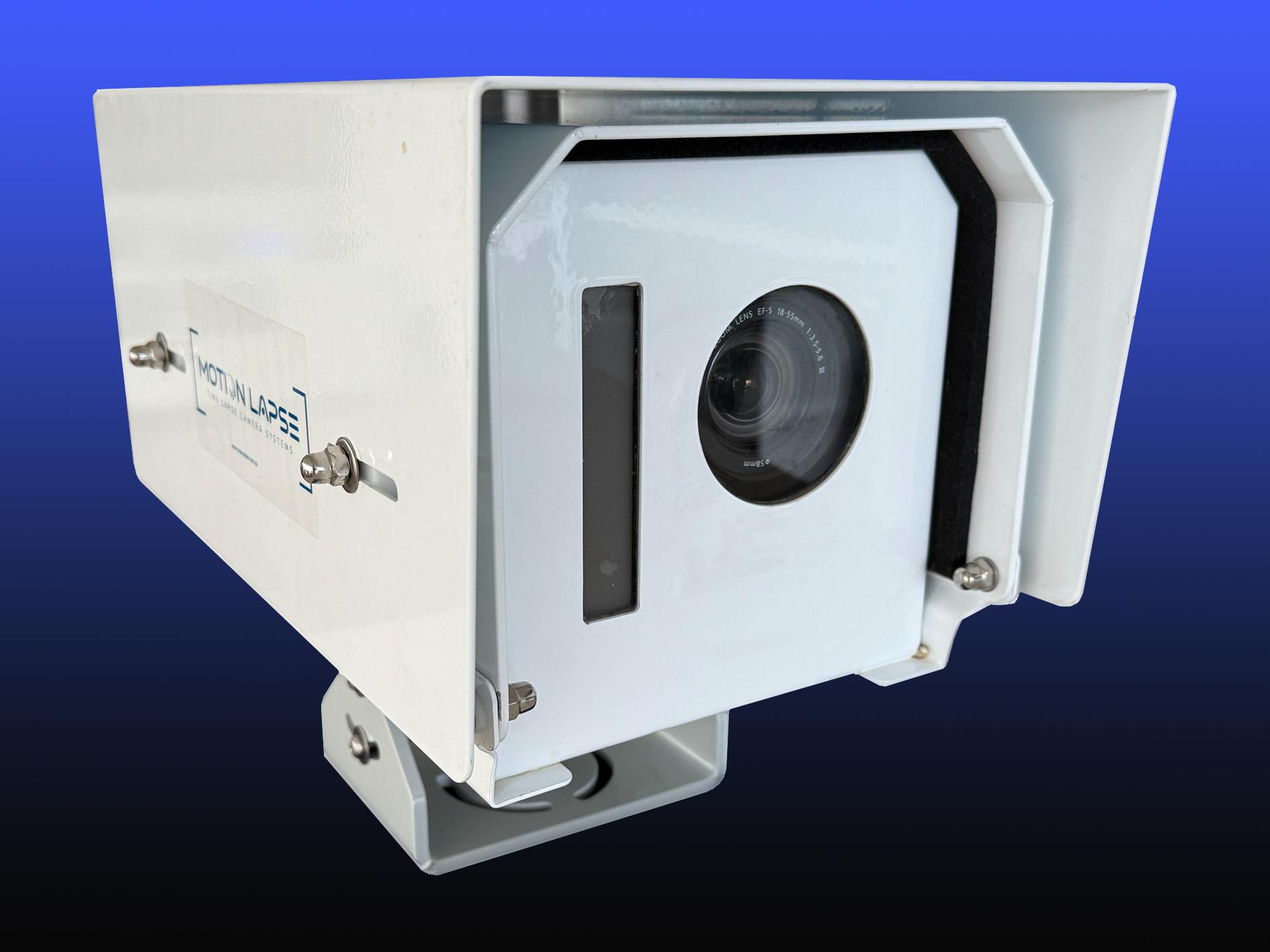
Image quality, lens coverage and low-light performance
Resolution should be considered in relation to viewing distance and the detail stakeholders need to see. A wide lens can include more of the site but may introduce distortion at the edges, while a narrower view may suit a distant, elevated position. Check the image at dawn, dusk and under artificial light before committing to a long recording period, particularly if the build continues beyond standard working hours.
Battery life, solar power and mains electricity
Power planning starts with the location and expected duration. Mains electricity may be practical on an established site, while solar or extended battery arrangements can suit remote areas and early-stage works. Include weather, shading, access for maintenance and the possibility of temporary outages in the decision. A power plan is only reliable when someone can check it and respond to a fault.
Local storage, cloud access and mobile connectivity
Storage requirements depend on the capture interval, image resolution, file format and length of the project. Local storage can provide continuity when a connection drops, while remote access makes it easier to review progress without travelling to site. Confirm mobile coverage at the mounting point, not just at the site entrance, and check how users will access, download and share the material.
Weather resistance and site durability
Construction environments expose equipment to dust, rain, vibration, temperature changes and accidental knocks. A suitable housing and secure mounting arrangement are as important as the camera body itself. Look for equipment intended for outdoor use, then consider whether the installation needs additional shielding from glare, spray, airborne dust or nearby plant. Durability should be assessed against the actual site, not just a product label.
Plan the camera position and installation
Installation decisions have a lasting effect on every frame, so treat the camera position as part of the project plan. Walk the site before mounting anything and consider how the building, cranes, temporary fencing and vegetation will change over time. The camera placement planning guidance highlights location, storage and scheduling as connected decisions rather than isolated technical details. A little preparation at this stage prevents months of footage being compromised by a blocked or unstable view.
Selecting a clear and stable vantage point
Choose a point with a direct view of the main build area and enough height to reduce obstruction from vehicles, fencing and stored materials. The support must remain stable when machinery operates nearby or wind affects exposed structures. Avoid positions that depend on temporary scaffolding unless the installation plan includes a safe, documented relocation before that structure is removed.
Capturing the full build without distortion
Frame the shot around the part of the project that will change most visibly. Leave some space around the edges for cranes, extensions and later stages, but do not make the subject so small that progress becomes difficult to read. If a single view cannot cover the required area, consider whether a second perspective or complementary photography is more appropriate than forcing an extreme wide-angle composition.
Protecting equipment from weather, theft and damage
Use secure fixings and place the system outside normal plant routes, while retaining safe access for authorised maintenance. Housing should protect against rain and dust without creating a new problem with condensation or heat. A discreet installation, tamper-resistant hardware and a clear responsibility for inspections can reduce the risk of losing footage through avoidable damage.
Checking power, network coverage and site access
Test the power source and connection from the proposed camera position before final installation. Record who can access the location, when access is permitted and what equipment is needed for servicing. It is also worth confirming that the view will remain acceptable as the site changes, since a new hoarding line or tower crane can alter the composition long before anyone notices the problem remotely.
Set up reliable time lapse recording
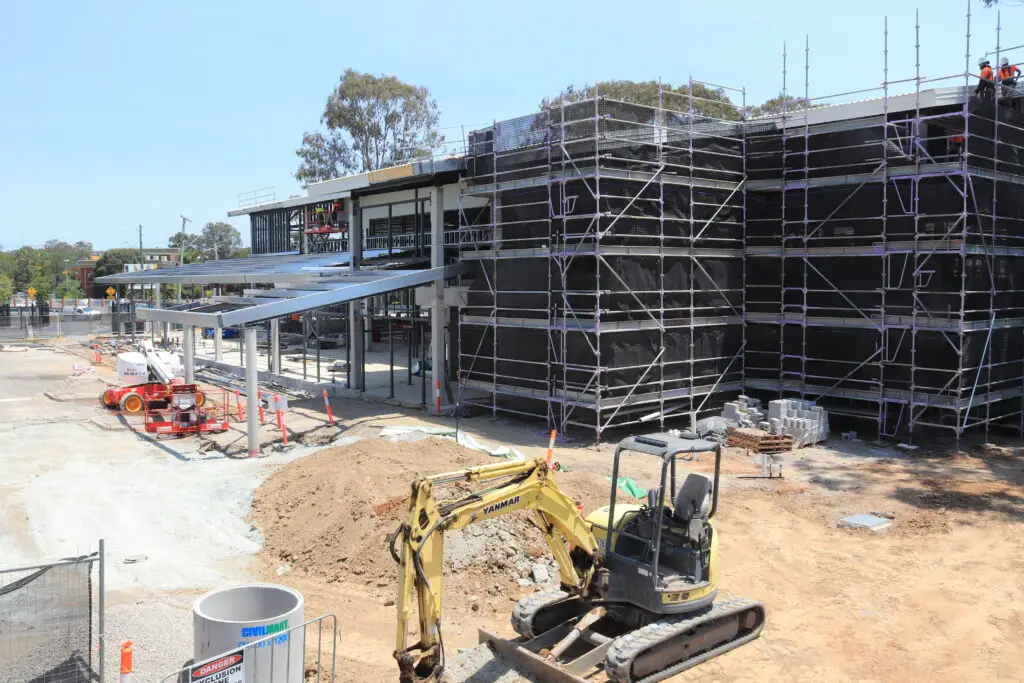
Once the camera is mounted, the recording plan should be simple enough to run consistently and clear enough for another team member to check. Set the interval, schedule, storage and image settings against the project objective rather than relying on default values. Use a short test period to find faults while the installation is still easy to reach. This time lapse setup advice covers the practical relationship between placement, intervals, power, data and changing site conditions.
Choosing the capture interval
The interval controls how smoothly activity appears and how much data is created. Faster intervals are useful when work changes quickly, while slower intervals can be more efficient for long periods of gradual progress. Consider working hours, daylight, expected movement and the final playback length. The right setting captures meaningful change without filling storage with near-identical frames.
Managing storage capacity and file formats
Estimate storage before recording begins, using the planned interval, resolution and project duration. Decide whether the working files will be retained as individual images, an assembled video or both. Keep original material where reporting or later editing may require it, and document any export settings so future versions can be produced consistently. A simple capacity check is better than discovering a full card after a major pour or structural stage.
Scheduling recordings around site conditions
A schedule can limit capture to useful periods and reduce unnecessary files overnight or during predictable inactivity. However, avoid excluding times when weather, access or unexpected work may provide important context. Make the schedule visible to the project team and review it when the programme changes, especially after a delay or a shift from earthworks to internal construction.
Testing framing, exposure and focus
Review test images at different times of day and inspect the corners as well as the centre of the frame. Check that focus is fixed, bright areas are not excessively washed out and the key build area remains visible after exposure changes. Walk through the likely camera view and look for faces, vehicle registrations or neighbouring properties that may require privacy treatment before the system goes live.
Manage footage throughout the project
A time lapse system becomes more valuable when the footage is easy to find and interpret. Set a regular review rhythm, assign responsibility for checks and keep the project team informed about any interruptions. Do not wait until completion to discover that a month of images cannot be identified or downloaded. Good data management turns a stream of files into a dependable project record.
Reviewing progress without wasting time
Short, scheduled reviews are more useful than occasional deep dives through every frame. Compare recent images with the programme, note visible changes and flag gaps while they can still be investigated. A project manager may only need a weekly visual check, while a communications team might review milestone sequences when preparing an update.
Backing up footage and protecting project data
Keep a second copy of important footage in a separate location from the camera or primary workstation. Restrict access to authorised users and establish how long records should be retained, particularly where images may support compliance or contractual reporting. Check that backups can actually be opened; a copy that has never been tested is not a dependable recovery plan.
Organising files by date, stage and milestone
Use a consistent naming convention from the first day. Include the project identifier, camera position, date and a brief stage description so files remain intelligible outside the original software. A compact project structure might include:
- Original captures retained in date order.
- Edited exports grouped by milestone or reporting period.
- Notes recording outages, relocations and significant site changes.
- Approved versions marked separately from working edits.
This approach makes handover easier and reduces the time spent searching for a particular pour, lift or façade stage. It also gives editors enough context to build a coherent final sequence.
Sharing updates with clients and stakeholders
Share selected imagery through an agreed channel, with a clear note about the date, viewpoint and period covered. Stakeholders usually need context as much as images, so explain whether a change reflects planned work, a temporary obstruction or a camera adjustment. Construction Time Lapse Specialists provides secure remote portal access for viewing site progress, which can support controlled visibility for authorised project participants.
Turn time lapse footage into useful project content
Raw frames are evidence, but a finished sequence gives the project a clearer narrative. Decide whether the audience is a client, board, community group, tender panel or the wider public before editing. Keep the timeline honest, retain important pauses where they explain the work and avoid presenting a compressed sequence as a complete substitute for project records. Supplementary drone aerial photography can add a broader perspective when an aerial view genuinely improves the story.
Creating polished construction progress videos
Start with the strongest continuous view and remove only material that is irrelevant, unusable or technically compromised. Stabilisation, sensible pacing and clean transitions can make a substantial difference without making the work look artificial. A professional service may also help prepare a consistent output when the project team needs a finished video rather than a folder of images.
Showing key stages from groundworks to completion
A useful film has a beginning, middle and end. Open with the site context, show the major structural and external changes, then finish with completion details that help viewers understand what has been delivered. Retain enough time around major stages to show cause and effect; jumping between isolated highlights can make a complex build appear misleadingly simple.
Adding captions, dates and project branding
Captions should identify the project, viewpoint and significant stages without covering the work itself. Dates are particularly valuable when a video is used for reporting or stakeholder communication. Keep logos, colours and type styles consistent with the project’s communications material, and retain a clean master version so the video can be adapted for different channels.
Balancing transparency with privacy and security
Review every export for workers’ faces, vehicle registrations, neighbouring properties, sensitive drawings and security arrangements. Apply blurring or cropping where necessary, and obtain the relevant permissions before publishing footage. Public content should show progress without revealing information that could create a safety, privacy or security concern on the active site.
Avoid common construction time lapse camera problems
Most failures are foreseeable when the system is treated as an ongoing site installation rather than a set-and-forget device. Weather, changing work fronts, power interruptions and accidental obstruction can all affect the record. Schedule checks around project milestones and after severe conditions. A short maintenance visit can protect months of otherwise irreplaceable footage.
Preventing missed footage from power failures
Use a power source suited to the location and keep an eye on battery or solar performance as the seasons change. Where possible, provide backup capacity and alerts for interruptions, then record any outage in the project notes. After restoring power, confirm that the camera has resumed the intended interval and schedule rather than assuming it has returned to normal operation.
Reducing condensation, dirt and lens obstruction
Inspect the lens and housing after dusty work, heavy rain or nearby concrete activity. Clean only with suitable materials and check seals if moisture appears inside the housing. Condensation may indicate a ventilation, temperature or sealing issue, so deal with the cause rather than repeatedly wiping the front element. Also watch for newly installed signs, fencing and plant that gradually enter the frame.
Handling changing light and seasonal conditions
Sun position, cloud cover and seasonal daylight can alter exposure dramatically over a long project. Review images after major changes in weather or orientation, and adjust settings only after checking how the change affects the complete sequence. A stable, slightly conservative exposure is often preferable to a set of dramatic but inconsistent images.
Maintaining the camera on an active worksite
Give the installation a named owner and include it in the project’s inspection or site management routine. Check the mount, housing, lens, power, connection and recent uploads at a frequency that reflects the risk of the site. If the build changes around the camera, reassess the composition before moving it. When specialist support is preferable, Construction Time Lapse Specialists combines 4K cameras, drone imaging and high-resolution photography with durable systems and secure remote portal access.
Conclusion
A construction time lapse camera works best when its purpose, position, power, capture settings and data management are planned together. Choose equipment for the real site conditions, test the complete workflow and maintain responsibility for the record throughout the build. For a tailored installation or visual monitoring plan, book a site consultation with Construction Time Lapse Specialists and discuss the project before work begins.