Key Takeaways
A useful construction time lapse camera setup starts with the project’s purpose and site conditions, not a long feature list. Plan the view, recording schedule, power and access together.
- Decide what the footage needs to show and who will use it.
- Match image quality and capture intervals to the pace and length of the work.
- Choose a stable viewpoint that can still cover important changes on site.
- Plan power, connectivity and storage for the full recording period.
- Review the equipment and footage regularly, and set clear access and privacy rules.
What a construction time lapse camera does
A construction time lapse camera takes images at intervals so that gradual site changes can be viewed in a shorter sequence. It can help teams communicate progress and keep a visual record of work as it develops. The result depends on the viewpoint, schedule and consistency of recording, so it is worth deciding early what the footage needs to show.
How time lapse recording captures project progress
Instead of filming continuously, a time lapse camera records individual frames at set intervals. Played back in sequence, those frames make a long period of work easier to review, from site preparation through to later construction stages. A stable frame also makes changes between recording dates easier to compare, although weather, lighting and obstructions can affect what each image shows.
Common uses across construction projects
Teams may use time lapse footage to review milestones, prepare progress updates or share a visual account of a project with stakeholders. It can also give people who are not on site a way to view recorded progress. A camera is not a substitute for formal inspections or written records; it offers a visual perspective that can sit alongside them.
Construction is not the only setting where a record needs to support communication. For example, Trail Life Connect helps troop families manage events and messages, a separate use case that illustrates why visual site records should complement—not replace—the tools a project team uses to coordinate its work.
When a time lapse camera is more suitable than regular site photography
Regular photographs are useful when someone can visit the site and document a particular detail or milestone. A time lapse camera is more suitable when the aim is to show gradual change over a longer period from a consistent viewpoint. The two methods can work together: scheduled images provide continuity, while occasional photographs can capture close-up details that a fixed camera may not resolve.
How to choose the right camera
Start with the footage’s purpose, the project duration and the conditions at the proposed location. A camera chosen for a short, accessible job may not suit a site where equipment must remain in place for an extended period. Construction Time Lapse Specialists provides construction time-lapse cameras and photography, including 4K cameras, remote monitoring and expert support; those documented services are examples to consider when assessing what a project requires.
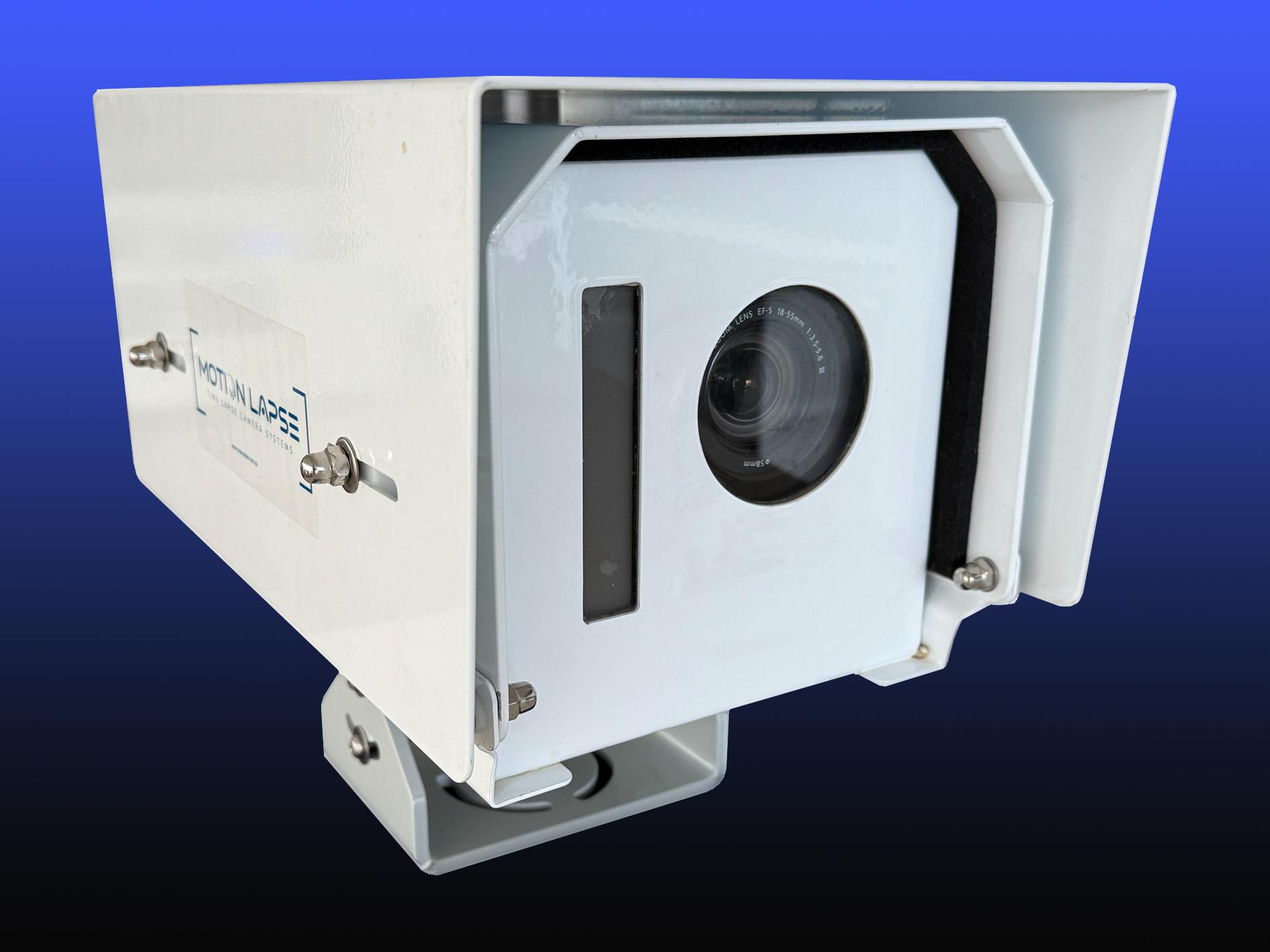
Match image quality and capture intervals to the project
Resolution should be considered in relation to the final use: a wide progress view, a presentation screen and a close inspection of a small detail do not make identical demands. Capture intervals also matter. Images taken too far apart may miss brief activities, while unnecessarily frequent captures can increase storage needs. A capture intervals guide can help frame the decision around coverage, power and the intended record.
The table below is a starting point for comparing common project needs with the questions they raise; it is not a substitute for testing the actual view on site.
| Project need | What to assess | Practical question |
|---|---|---|
| Long-duration record | Power and storage capacity | Can the setup keep recording for the planned period? |
| Broad progress view | Resolution and framing | Will important areas remain clear in the image? |
| Milestone updates | Capture interval and schedule | Will key stages appear often enough to review? |
| Remote visibility | Connectivity and access | Can authorised users view updates as intended? |
Use the answers together rather than treating any single specification as decisive. A project’s modular construction approach, for instance, may involve different building stages and layouts, so the view and schedule should reflect the sequence of work rather than assume one unchanging scene.
Compare fixed, portable and remotely managed cameras
A fixed camera can suit a project with a dependable vantage point and a clear recording purpose. A portable setup may be more appropriate if the site layout or work area is expected to change. Remotely managed equipment can be useful when authorised stakeholders need to review progress without visiting the site; confirm what access is available and how it is managed before selecting a system.
Think through the choice as a set of practical trade-offs:
- Fixed placement can support a consistent view, provided the scene remains useful.
- Portable equipment allows repositioning, but each move needs careful reframing and a recording check.
- Remote access can help off-site review, while still requiring clear permissions and connectivity.
- A managed service may suit teams that want installation and ongoing support considered together.
The best fit is the one that matches site access, project duration and the people who will use the footage. A wider time-lapse camera features overview offers another perspective on the range of considerations involved in selecting equipment.
Check weather resistance, mounting options and operating temperature
For an outdoor installation, check the manufacturer’s stated environmental limits and confirm that the housing and mount suit the location. Consider exposure to rain, dust, direct sun, vibration and temperature changes, as well as the risk of accidental impact. Construction Time Lapse Specialists specialises in construction time-lapse photography and camera installations, so a project team can also assess whether installation support is relevant to its site conditions.
Where to position and install the camera
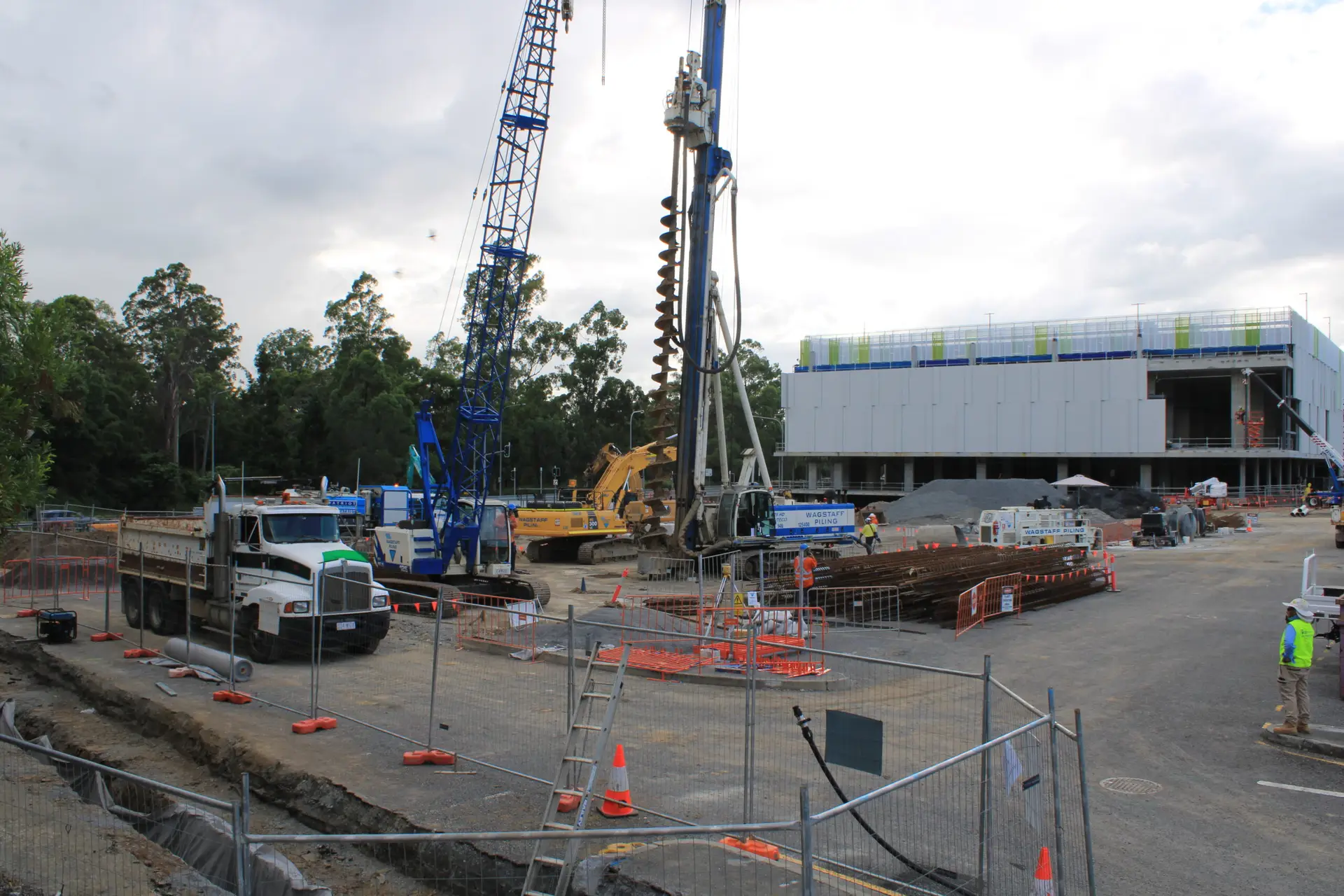
A good position gives the camera a stable view of the areas that matter while avoiding unnecessary obstructions. Consider the full project timeline: a view that works before excavation or structural work begins may be blocked later by plant, temporary works or new structures. Choose the location with site access, safety and future changes in mind, then test the frame before relying on it.
Choose a vantage point with a clear view of key work areas
Look for a position that captures the main activity without aiming into direct glare or relying on a narrow opening that may soon be obstructed. A higher viewpoint can show more of a site, while a closer angle may reveal detail; neither is automatically better. The useful view is the one that makes the intended progress legible to the people who will review it.
Before installation, walk through the likely frame and check it against the recording goal. A short list helps keep that review practical:
- Identify the areas or milestones that must remain visible.
- Check for cranes, hoardings, plant or temporary works that could block the view.
- Consider light direction and likely changes in sun or shadow.
- Confirm that the position can be reached safely for checks and maintenance.
If several stakeholders need to follow progress, agree on the priority view before fixing the mount. This avoids choosing a frame that is attractive but misses the work that the project actually needs to document.
Plan for changing site layouts and construction phases
Think beyond the first installation date. Excavation, structure, façade work and external works can each change what is visible, and a fixed camera cannot automatically follow those shifts. Where the project plan is likely to alter the scene, decide in advance whether the camera should stay in place, be repositioned or use a different view at a defined stage.
A camera does not replace coordination tools for schedules, events or messages. IdeaSpace, for example, offers workspace choices for different team needs; on a construction project, the equivalent planning question is simply whether the camera’s viewpoint and the team’s review arrangements will still suit the next phase.
Secure the camera and mounting hardware against interference
Use a mount appropriate to the structure and location, and follow the equipment maker’s installation guidance. Keep the device clear of routine plant movement and places where it could be struck, removed or disturbed. Construction Time Lapse Specialists provides camera installations, a service relevant when the project needs installation considered as part of its time-lapse setup.
How to manage power, connectivity and storage
A recording plan is only useful if the camera can keep operating and the images can be retrieved. Estimate the project length, the selected capture schedule and the site’s access conditions before deciding how to power and manage the equipment. The choice between local retrieval and remote viewing will also affect what connectivity and access arrangements are needed.
Choose between mains power, batteries and solar
Mains power can be an option where a suitable supply is available and can remain dependable throughout the recording period. Batteries may suit locations without that access, but their capacity and replacement or charging plan need to be checked against the schedule. Solar can be considered where the equipment and site conditions support it; assess the expected exposure and the consequences of an interruption before relying on any power source.
Decide whether remote access or on-site retrieval suits the site
Remote access can help authorised stakeholders review footage without travelling to the site, but it depends on suitable connectivity and a clear access policy. On-site retrieval may be adequate where visits are regular and remote viewing is not required. Choose based on who needs the footage, how promptly they need it and what the site can support, rather than treating remote access as essential for every project.
Estimate storage needs from capture frequency and project duration
Storage requirements increase with the number of images recorded and the length of the project. Check the camera’s storage arrangements and allow for the intended schedule, review process and any copies that need to be retained. A written estimate is more useful than relying on a rough guess, particularly when the project timeline may change.
How to plan recording and create a useful video
A clear recording plan links the interval, framing and intended audience to the work programme. Decide what makes a useful update before recording begins, then keep the process simple enough to maintain across busy site phases. Consistency makes footage easier to review, but the plan should allow for deliberate changes when the project itself changes.
Set capture intervals for the pace of work and available light
The right interval depends on how quickly the scene changes and what level of detail the final video needs. Fast-moving work may call for more frequent images than a site with slower, gradual changes. Consider daylight and artificial lighting at the camera position as well; a schedule that works during the day may not produce equally clear images after dark.
Keep framing consistent as the project changes
Try to retain a stable composition so that successive images are easy to compare. If a camera must be moved, record the change and check the new frame against the original purpose. A consistent view can make progress easier to interpret, while an unexplained shift may make it harder to tell whether a change in the image reflects the work or the camera position.
Edit footage into progress updates, handover records or a final video
Select images and sections that serve the intended audience, whether that means a concise progress update or a longer project record. Keep the dates and context clear, and avoid implying that a time lapse sequence shows every activity or event on site. For a project with broader visual monitoring needs, construction time-lapse footage can sit alongside other documented photography services, such as the 4K cameras and high-resolution photography described by the business.
How to protect footage and keep recording reliably
Reliability comes from a workable installation and regular checks, not just the initial equipment choice. Set responsibilities for reviewing the recording, responding to interruptions and managing access to footage. Those routines help catch issues while the project is active, when a missed period may still be addressed.
Check recordings and equipment on a regular schedule
Set a review rhythm that suits the site and project duration. Confirm that images are being captured, the frame remains useful and power and storage are adequate. If the camera is remotely accessible, include a check of that access; otherwise, plan site visits that let someone inspect the equipment and retrieve footage when needed.
Protect cameras from dust, rain, vibration and accidental damage
Select a location and housing that suit the conditions, and inspect them after severe weather or nearby work that could affect the mount. Keep access to the camera safe and avoid placing it where ordinary site operations are likely to strike or cover it. If anything changes around the installation, check the framing and recording rather than assuming the original setup remains unaffected.
Consider site permissions, worker privacy and footage access
Before recording, confirm site permissions and explain the purpose and access arrangements to the relevant people. Position the camera to focus on project progress rather than unnecessary detail about individuals, and limit footage access to those who need it. Worker wellbeing is also part of responsible site planning: resources on Mental Health First Aid and Mental Health First Aid discuss workplace training and psychosocial risk management in Australia, alongside the distinct responsibilities involved in camera use.
Conclusion
A construction time lapse camera is most useful when its view, recording schedule, power, storage and access arrangements are planned as one system and checked throughout the project; for a project-specific discussion of camera installations and construction time-lapse photography, contact the team at Construction Time Lapse Specialists.