Key Takeaways
Reliable construction compliance reporting starts with a clear view of legal, contractual and client obligations, then connects each requirement to a person, deadline and source record.
- Check requirements for the project’s location, contract and work activities.
- Assign ownership for collecting, checking and submitting evidence.
- Keep records dated, clearly named and linked to the relevant obligation.
- Build review steps and deadline tracking into the reporting routine.
- Use audit findings and recurring issues to improve the process over time.
What construction compliance reporting covers
Construction compliance reporting is the organised recording and communication of information that shows whether project obligations are being met. Those obligations may come from legislation, approvals, contracts, client standards or site-specific plans. The right reporting system helps a team provide relevant evidence without treating every record as interchangeable.
Regulatory, contractual and client reporting obligations
A project may have to report against several sources at once. These can include statutory duties, permit or approval conditions, contract clauses, principal contractor procedures and client reporting formats. List each source separately so that a change to one requirement does not obscure the others.
A report should make clear what it is intended to demonstrate and who needs to receive it. A client progress update, for example, may not satisfy a formal regulatory notification obligation. Teams can use a construction project documentation guide to think through how records, approvals and handover information fit into a broader document system.
Common reporting areas, from WHS to environmental controls
The subject matter depends on the project, but reporting commonly touches work health and safety, quality, environmental management, approvals, workforce information and project progress. Some records are routine, such as inspection results; others are triggered by a specific event, such as an incident or an unexpected site condition.
A useful first step is to connect each reporting area to its likely evidence and trigger. This makes gaps easier to spot when responsibilities are divided across different teams.
| Reporting area | Typical evidence | Possible trigger |
|---|---|---|
| WHS | Inspection records and incident details | Scheduled review or reportable event |
| Quality | Inspection results and corrective actions | Hold point or non-conformance |
| Environment | Monitoring records and control checks | Approval condition or site change |
| Workforce | Induction and training records | Mobilisation or periodic review |
The table is a starting point, not a universal compliance checklist. Confirm the evidence and reporting trigger against the applicable project documents and current requirements.
How obligations vary by state, territory and project
Australian projects need to account for the relevant jurisdiction as well as the type of work, site conditions and approvals. Requirements can differ between states and territories, and a project’s contract or client standards may add reporting duties beyond baseline legal requirements. Verify the applicable sources rather than assuming that a process used on another job will transfer unchanged.
The same boundary applies across industries: information about CRPS treatment, architectural shade systems, ethical safari operators or methylene blue COAs addresses different subject matter and cannot determine a construction project’s obligations. For construction, check the current regulator, approval and contract material relevant to the work.
Who is responsible for submitting and verifying reports
Responsibilities should be explicit. A subcontractor may supply evidence for its work, while a site supervisor checks it and a project manager or nominated representative approves a submission. The person who prepares a report should not be assumed to have authority to verify every underlying record.
Set out who gathers information, who checks it, who approves it and who sends it. Where a requirement has a named recipient or formal notification pathway, record that separately and confirm the responsible person knows the process.
How to identify and organise reporting requirements
A register turns scattered obligations into a working project reference. It should show what must be reported, what evidence supports it, when it is due and who is accountable. Build it early, then update it as the project scope, approvals and site conditions evolve.
Build a register of obligations, evidence and due dates
Start by reviewing the contract, project plans, approvals, client procedures and relevant legal sources. Record each reporting obligation in plain language, then note the evidence needed and the date or event that triggers submission. A requirement that is described only as “report monthly” is difficult to manage unless the register also identifies its owner, format and recipient.
A practical register can include the following fields:
- Obligation and source document, including the relevant clause or condition.
- Evidence required and where the source record is stored.
- Submission date, frequency or event that triggers reporting.
- Responsible preparer, reviewer, approver and recipient.
These fields help the team distinguish between collecting evidence and formally reporting it. They also make it easier to spot requirements that have no clear owner or no reliable source record.
Map requirements to project phases and responsible roles
Reporting needs change as a project moves from mobilisation through construction and close-out. Some evidence is needed before work begins, while other records accumulate during delivery or are assembled for handover. Mapping requirements to phases helps teams prepare before a deadline becomes urgent.
Assign a named role to each task rather than relying on a general team label. For instance, a site lead might collect inspection records while a project manager coordinates a client submission. Make handover between roles visible, especially where one party supplies evidence and another approves or submits it.
Check principal contractor, subcontractor and client requirements
The project team should compare its central register with relevant subcontractor scopes and client procedures. Subcontractors may need to provide evidence in a set format or by a date that leaves time for review and consolidation. Confirm those expectations during mobilisation rather than waiting for the first reporting cycle.
Keep a record of which party supplies each input and how missing information will be followed up. Where requirements overlap, clarify whether one record can support more than one report, and make sure the submitted version still meets each recipient’s needs.
Keep the register current as project conditions change
A register is useful only while it reflects the live project. Changes to scope, sequencing, approvals, site conditions or reporting contacts can affect what evidence is needed and when it is due. Build a brief register review into project meetings and change-control discussions.
Record the date and reason for each update, and tell affected people what has changed. For practical guidance on coordinating photographic records, construction progress photography planning can help teams consider milestones, viewpoints and site access; imagery should support, not replace, required written records.
What records to collect and how to manage them
Good reporting depends on records that are relevant, traceable and understandable to someone who was not present when the work took place. A large volume of files is not the same as a strong evidence trail. Set expectations for what each record needs to show before site teams begin collecting it.
Capture site inspections, incidents and corrective actions
Inspection and incident records should identify the place, date, activity and people involved, along with findings and any follow-up. Where an issue is found, keep the original observation connected to the corrective action and evidence that the action was completed. This gives reviewers a clearer account than a closed-out status on its own.
Construction Time Lapse Specialists provides high-quality construction time-lapse cameras and photography for projects across Brisbane and Queensland. Those visual records can add context to a project’s progress record, while inspections, incident reports and professional assessments remain necessary for their own purposes.
Maintain worker, training and subcontractor records
Keep workforce evidence according to the project’s actual requirements and access rules. Records might include inductions, role-specific training, licences or subcontractor documentation where applicable. Confirm that the information is current, connected to the relevant worker or organisation, and available to authorised reviewers.
Avoid collecting extra personal information simply because a system allows it. Agree who may view sensitive records, how corrections are made and how long records must be retained under applicable requirements and project policy.
Document environmental controls, waste and approvals
Environmental records should relate to the controls and conditions that apply at the site. Depending on the project, that may include monitoring, waste documentation, inspection results or approval records. Keep evidence tied to its source requirement so that a reviewer can see why it was collected and what period or location it covers.
When a site condition changes, check whether a control, approval or reporting obligation is affected. A dated record of the decision and any action taken can help explain how the team responded, without implying that documentation alone proves compliance.
Set consistent standards for evidence, versions and retention
Agree on a common approach to file names, dates, locations, versions and approval status. Consistency makes it easier to retrieve the right evidence and reduces the risk that an outdated draft is sent in place of an approved report. A record should be identifiable without relying on the memory of the person who created it.
Construction Time Lapse Specialists also provides drone imaging and high-resolution photography as part of its visual monitoring services. When imagery is used in project records, retain enough context to identify when and where it was captured, and keep the original files organised with related project documentation.
How to build a reliable reporting workflow
A reporting workflow connects the point where information is created to the person who reviews and submits it. It should account for incomplete evidence, corrections and late inputs rather than assuming every report will arrive ready to send. Clear stages make reporting more dependable without adding unnecessary steps.
Collect information at the point of work
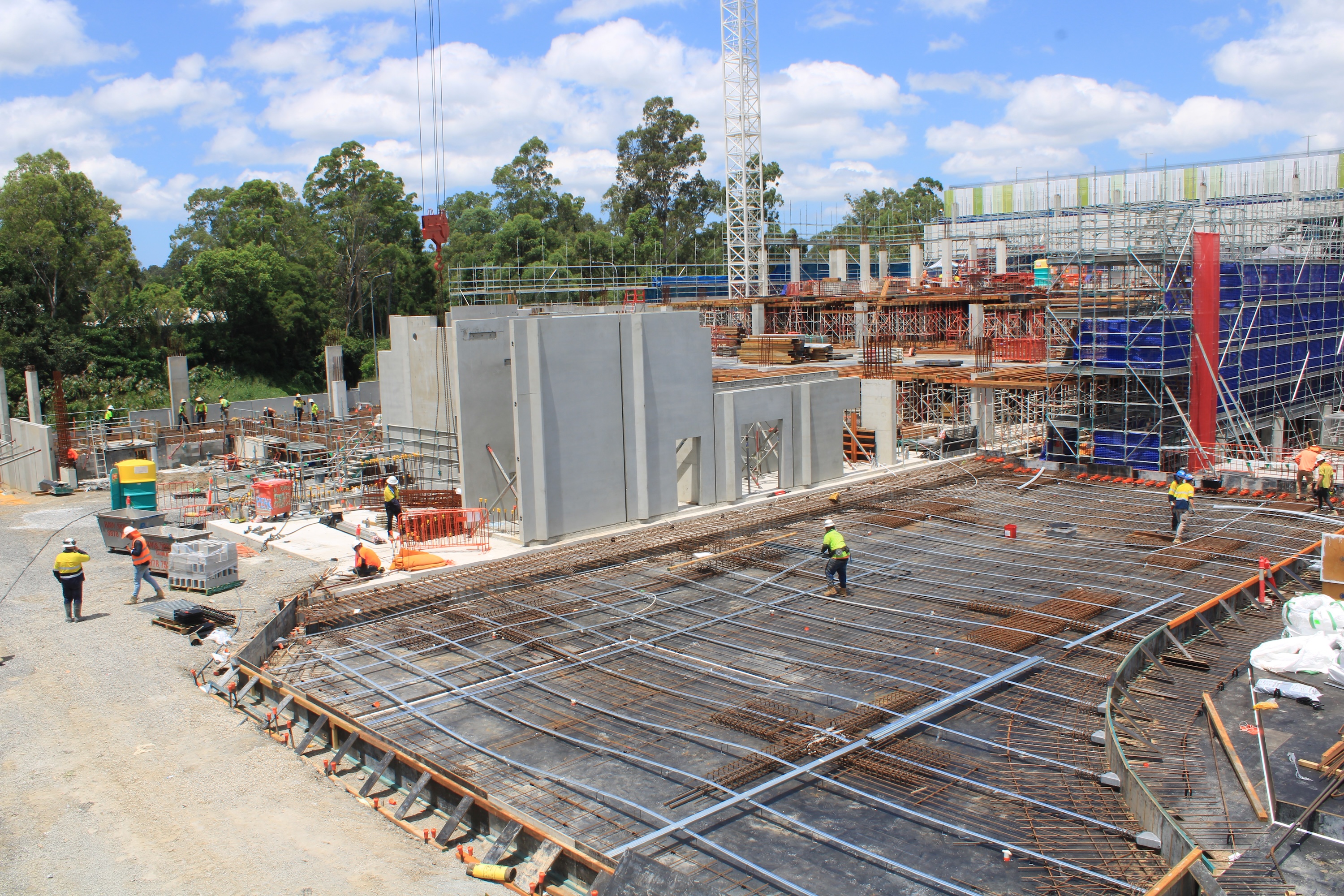
Capture information close to the activity it describes, while the details are easy to confirm. Set a shared expectation for when records are entered, what supporting material is required and where it belongs. This reduces reliance on end-of-week recollection and makes it easier to follow up on missing details.
Construction Time Lapse Specialists provides remote monitoring and secure portal access for viewing site progress. Such visual monitoring can give stakeholders another view of progress, while formal compliance evidence still needs to be gathered and checked against the relevant obligation. Teams can also explore time-lapse options where a visual project record would be useful.
Review and approve submissions before they are sent
A review step should check the report against its source evidence, required format, reporting period and intended recipient. Reviewers should be able to return incomplete items for correction and see which version is ready for approval. Keep the approval record with the submitted report so the route from draft to issue remains clear.
Separate factual checking from final approval where the project’s roles allow it. This can help catch missing attachments, inconsistent dates or unresolved actions before the report leaves the project team.
Track deadlines, outstanding evidence and escalations
A simple deadline view can show what is due, who owns it and what evidence remains outstanding. Set reminders early enough to allow review, not merely to meet the submission date. Decide in advance how a missed input will be escalated and who can agree a revised plan.
A routine check can focus on four practical questions:
- What reports are due before the next review point?
- Which source records or subcontractor inputs are missing?
- Who is responsible for resolving each gap?
- Does any issue require prompt escalation under the project process?
This keeps deadline tracking tied to action rather than becoming a passive calendar. Use the answers to focus follow-up on the items that could prevent an accurate or timely submission.
Share approved reports with the right stakeholders
Use the agreed distribution list and access method for each report. A site update may have a broader audience than a report containing sensitive workforce or incident details, so confirm that recipients are authorised to receive the information. Record what was sent, when it was sent and whether any follow-up was requested.
Where a report is revised, make the status of the new version clear and retain the prior version according to the project’s document controls. This helps stakeholders avoid working from superseded information.
How to use construction reporting software effectively
Software can help organise records, reminders and approvals, but it cannot decide what an obligation means or confirm that evidence is accurate. Choose tools around the reporting process the project actually needs. Before adoption, check how information will be entered, reviewed, stored and retrieved.
Compare spreadsheets with dedicated reporting platforms
Spreadsheets may be adequate for a small register with few contributors, provided ownership and version control remain clear. As reporting volume grows, multiple users can create parallel copies or leave gaps in handovers. A dedicated platform may help centralise activity, but teams should test it against their reporting requirements rather than assuming more features will solve process problems.
For example, a Report Generation API can generate paginated PDF reports from HTML templates and JSON data. That is a specific report-generation capability; it does not, by itself, establish whether construction evidence is complete or whether a submission meets a project obligation.
Check mobile access, integrations and audit trails
Consider whether the tool suits the way site teams work, including where and when they need to enter or review information. Check any proposed integrations against the actual data that needs to move between systems, and confirm how errors or failed transfers are handled. An audit trail should make changes and approvals understandable to authorised users.
Visual monitoring can complement written reporting when a project needs a record of changing site conditions. Make sure any image or camera workflow is planned around site access, safety, viewpoints and the project’s evidence needs rather than treated as a substitute for inspections.
Set permissions and protect sensitive project information
Set access by role and purpose, especially where reports include personal, commercial or incident information. Confirm who can view, edit, approve, download and share records. Review access when project roles change, and follow applicable privacy, security and retention requirements.
Also consider how information is exported or handed over at close-out. A project should be able to retrieve the approved records it needs without relying on access that may disappear when a person or service leaves the project.
Train site teams to use tools consistently
Even a well-chosen system depends on consistent use. Show users how to enter records, label attachments, correct errors and escalate missing evidence. Short, role-specific guidance is often easier to apply than a generic instruction that leaves each team to interpret the process.
Review early submissions and provide feedback while habits are still forming. If a step is repeatedly missed, check whether the instruction, form or responsibility is unclear before treating it only as an individual error.
How to prepare for audits and improve compliance
Audit preparation is easier when records are kept in a retrievable order throughout the project. A review should test both the report and the evidence behind it, including whether the right person checked and approved the submission. Use findings to improve the process, not just to assemble a response for one review.
Reconcile reports against source records
Select submitted reports and trace key statements back to the underlying records. Check dates, locations, reporting periods, attachments and approval status. If a report summarises several inputs, confirm that its summary does not omit a qualification or unresolved issue present in the source material.
A reconciliation also tests whether the register still reflects practice. If records are stored somewhere unexpected or approvals happen outside the documented workflow, update the process so that the written procedure and the working method align.
Respond to gaps, late submissions and non-conformances
When an audit identifies a gap, record what is missing, who will address it and when the response is due. Distinguish between correcting a record, completing an outstanding action and changing a process that allowed the problem to recur. Keep the response evidence with the finding so the status can be verified later.
If information was submitted late or found to be inaccurate, follow the applicable project and reporting procedures. Avoid silently replacing a report; document corrections and notify the relevant people where required.
Use trends and KPIs to spot recurring risks
A small set of useful measures can reveal patterns that single reports may hide. Teams might review overdue submissions, recurring evidence gaps, repeated corrective actions or the time taken to close findings. Define each measure consistently so that results are comparable between reporting periods.
Treat a trend as a prompt for investigation, not proof of a cause. Discuss what may be driving it with the people closest to the work, then test whether a change to training, timing or responsibility improves the process.
Review the process at project milestones and close-out
At major milestones, confirm that obligations, owners and due dates still match the project’s current phase. Close-out is a chance to identify records that need to be retained, handed over or formally finalised, and to capture lessons while they are fresh. A clear index makes the final record set easier to use after the site team has moved on.
Construction compliance reporting works best as part of everyday project control: requirements are understood, evidence is traceable and submissions are checked before issue. For project teams seeking an additional visual record of site progress, contact Construction Time Lapse Specialists to discuss time-lapse camera solutions and photography suited to the project.
Conclusion
A dependable reporting process links each obligation to clear ownership, useful evidence, a review step and a reliable record of what was submitted. Keep those connections current as the project changes, and use audits and reporting trends to improve the process rather than waiting until close-out to discover what is missing.