
Key Takeaways
A well-planned commercial construction time lapse becomes more than a short film: it is a dependable visual record for project teams, clients and stakeholders.
- Define the audience, purpose and milestones before installing any camera.
- Choose locations that remain useful as the site changes.
- Plan for power, storage, weather, safety and ongoing access.
- Review footage throughout the build rather than waiting until handover.
- Edit different versions for reporting, marketing, presentations and public updates.
What commercial construction time lapse involves
Commercial construction time lapse uses images captured at regular intervals to show a project developing over weeks or months. The result compresses a long build into a clear visual sequence, while the original images can remain useful for reporting and reference. Good footage starts with project planning, not editing. It also depends on a camera system that can keep working as the site, weather and access arrangements change.
How time-lapse photography captures project progress
A time-lapse camera records still images according to a schedule rather than continuously filming video. When those images are played back in sequence, gradual changes become easy to see: excavation, structural work, services, cladding and the final external works can form one coherent record. Capture intervals should reflect the pace of the activity, with enough consistency to avoid distracting jumps between frames.
The camera should remain stable and the framing should be checked throughout the project. A small shift in angle can make a long sequence feel uneven, particularly when cranes, temporary fencing or completed structures change the view.
The difference between construction time lapse and standard video
Standard video is useful for interviews, demonstrations and close-up activity, but it usually records selected moments. Time lapse is designed to show change over an extended period from a consistent viewpoint. That makes it particularly useful when a project team needs to understand sequence and duration rather than watch every minute of work.
It is also more manageable as a long-term record. A scheduled image capture can continue through stages that would be impractical to film continuously, while selected clips can later be edited into a concise project video.
Common uses across commercial building projects
Developers, builders and project managers use time lapse for progress reviews, client communication, marketing and project archives. It can also help teams examine when visible changes occurred, provided the camera position, dates and capture schedule are maintained carefully. The construction time lapse guide covers the practical relationship between project purpose, camera selection, installation and footage management.
The same approach can suit commercial buildings, civil works, infrastructure projects and high-rise developments. The viewpoint and schedule will differ, but the underlying requirement is consistent: create a reliable visual record without disrupting site operations.
How the final footage supports project communication
A finished sequence gives people who cannot visit the site a shared view of progress. It can support a formal update, help explain a change in programme or give a client a more intuitive understanding of work completed between meetings. The footage should sit alongside written reports and site records, not replace them.
A short, well-labelled sequence is often easier to discuss than a large folder of disconnected images. Dates, milestone captions and consistent framing give viewers enough context to understand what they are seeing.
Planning a commercial construction time lapse
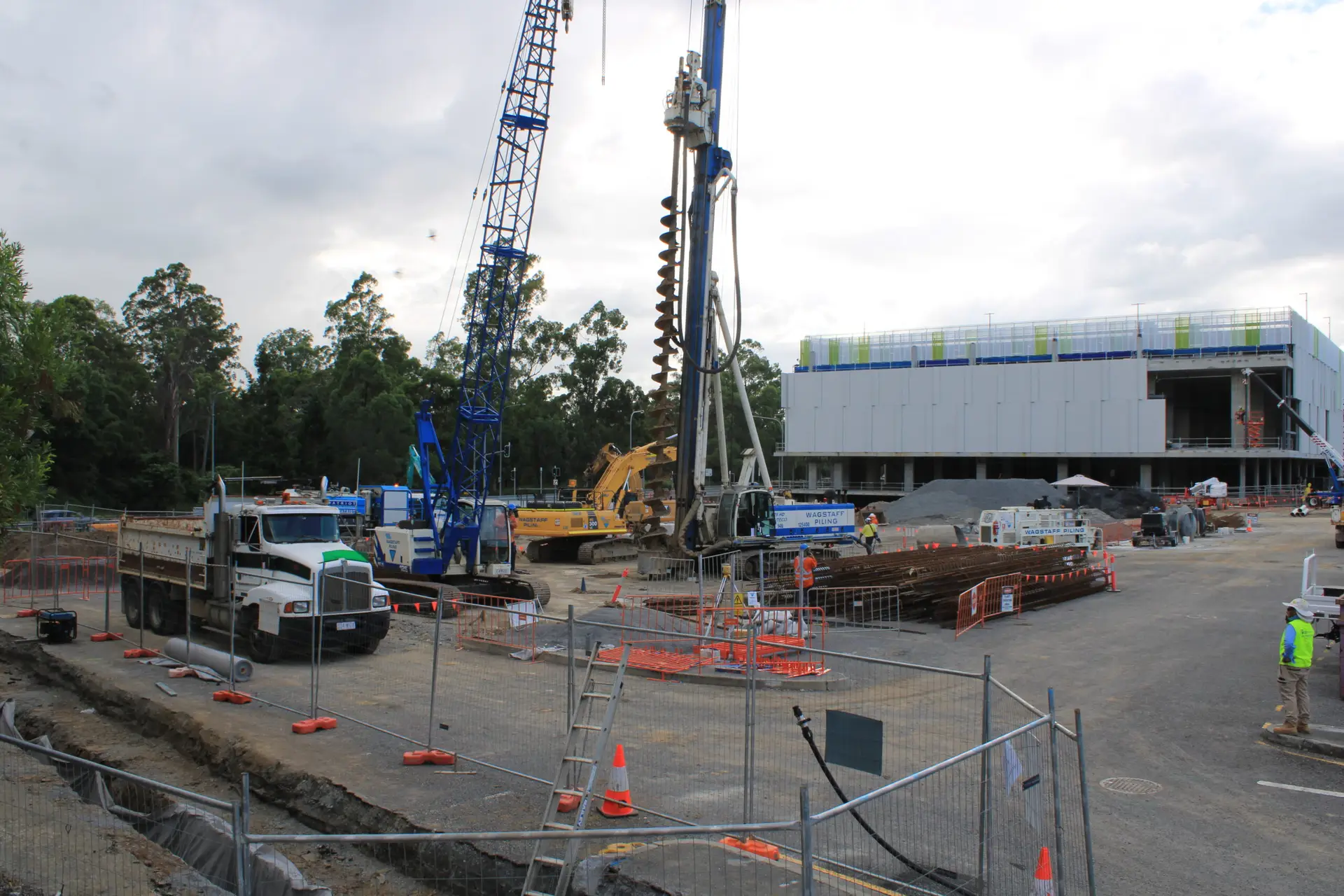
Planning determines whether the final footage is merely attractive or genuinely useful. Start by agreeing what the camera must show, who will review the material and how often it will be used. Then consider the site, programme, permissions and technical requirements together. This avoids choosing a camera location that looks good on day one but becomes blocked later.
Defining the project’s goals and audience
A client update may need a simple view of progress, while a project team may need dated imagery that supports reviews and documentation. Marketing footage usually benefits from a strong composition and visible transformation, whereas compliance or reporting work calls for consistency and traceability. Define the primary use first, then list secondary uses so the capture plan does not become unnecessarily complex.
Write down the intended viewers, delivery dates and approval process. That small exercise can influence resolution, camera quantity, access arrangements and the level of post-production required.
Choosing the best camera locations
A useful position shows enough of the site to make progress legible while avoiding glare, deep shadows and unnecessary sky. Height can help reveal the relationship between different work areas, but access and safe installation matter more than a dramatic angle. Check where the sun travels, where cranes will operate and which structures may eventually obstruct the frame.
It is worth reviewing the planned view against the construction programme. A location that captures earthworks may not show the facade or final landscaping, so a second camera or a planned relocation may be needed.
Mapping key construction milestones
Milestones give the footage a narrative structure and provide sensible points for review. List the events that change the appearance or meaning of the project, rather than trying to document every minor task. This list can also guide editing and stakeholder updates.
Useful milestones commonly include:
- Site establishment, demolition or excavation.
- Foundations, structural frames and major pours.
- Services installation, enclosure and facade completion.
- Fit-out, external works, testing and handover.
After the list is agreed, connect each milestone to an expected date or date range. Programmes change, so leave room for practical adjustments rather than treating the first schedule as fixed.
Setting a realistic filming schedule
Capture intervals should reflect the pace of visible change and the length of the project. A short, active stage may benefit from more frequent images, while a slower period can use a wider interval. The schedule must also account for daylight, power availability, storage capacity and the intended final playback speed.
Build in regular checks. Reviewing a few frames each week can identify a shifted bracket, a dirty lens or a new obstruction before months of useful material are affected.
Obtaining site permissions and approvals
A camera installation on an active site should be included in the project’s access and safety planning. Confirm who owns the equipment, who may access the imagery and whether workers, neighbouring properties or public areas may appear in frame. The installation method, isolation requirements and inspection arrangements should be understood before equipment arrives.
Permission is also needed for practical matters such as mounting points, power connections, network access and occasional maintenance. Clear responsibility prevents the camera from becoming overlooked when the site changes hands.
Selecting cameras, equipment and software
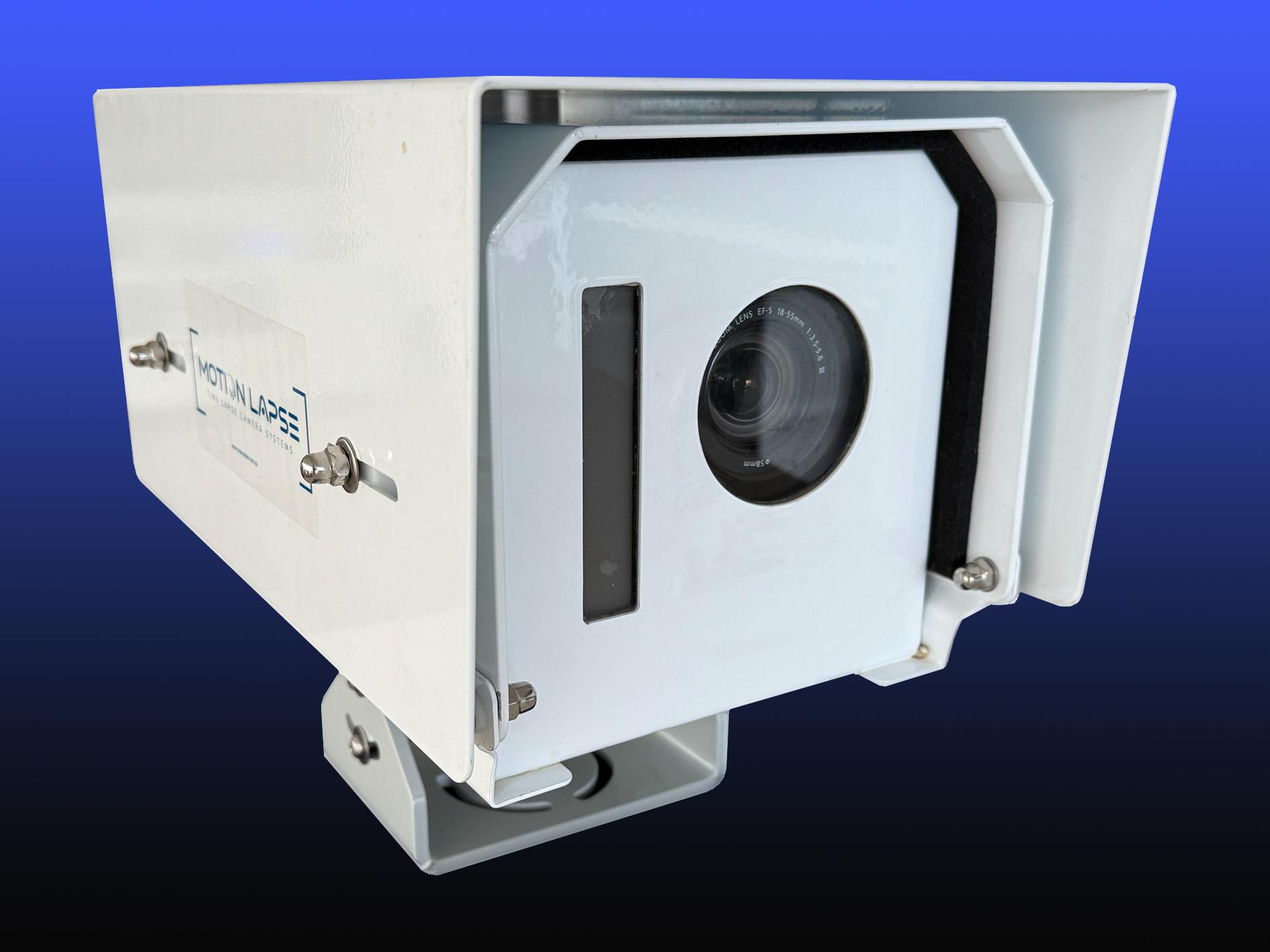
Equipment choices should follow the project brief rather than a headline specification. A long-duration installation needs dependable power, storage, weather protection and a stable mounting arrangement. It may also need remote access so the team can review progress without travelling to site. For a broader technical comparison, the MotionLapse system is described as providing rugged IP66-rated cameras, high-resolution 24MP images, 4G/5G connectivity, a smart monitoring portal, 4K time-lapse video and daily diaries.
Comparing dedicated time-lapse cameras with standard cameras
Dedicated time-lapse systems are designed to capture scheduled images over long periods with less day-to-day intervention. Standard cameras can produce excellent imagery, but they may require more frequent charging, configuration and file handling. The right choice depends on duration, access, image requirements and the level of support available.
For a commercial site, reliability often matters more than having the most familiar camera body. A system that can be checked remotely and protected properly may be more useful than a higher-specification camera that is difficult to maintain.
Choosing resolution, frame rate and image quality
Resolution should be high enough for the intended delivery formats, including presentations, websites and detailed internal review. Frame rate is mainly an editing decision: the capture interval determines how quickly construction activity is compressed, while the final frame rate affects playback smoothness. Exposure, focus and white balance also need to remain consistent.
Avoid choosing settings solely for the final video. Original images may later be used to inspect a milestone, compare conditions or create a crop for a report, so image quality should support both motion and still-image use.
Managing power, storage and weather protection
Long projects expose equipment to heat, rain, dust, vibration and occasional interruptions. Consider mains power, battery backup or other suitable options, along with the distance to a safe connection. Storage calculations should account for image size, capture frequency, expected duration and a backup copy.
Weather protection is only effective when the enclosure, seals, cable entries and mounting are checked as a complete system. Schedule inspections around major site changes so a new scaffold or temporary wall does not trap moisture or block ventilation.
Using remote monitoring and cloud connectivity
Remote access allows authorised users to review recent imagery, identify a problem with framing and share progress without every stakeholder attending site. It is especially useful on large or geographically separated projects, but it depends on reliable connectivity and clear account permissions. The portal should be treated as part of the operating plan, not an optional extra.
Keep access limited to the people who need it and establish what happens if the connection drops. Local capture and later synchronisation may be preferable to losing the visual record altogether.
Selecting editing and branding software
Editing software should make it straightforward to trim quiet periods, join milestone sections, add dates and prepare different aspect ratios. Branding is most effective when it supports identification rather than covering important site detail. Agree logo placement, captions, music and approval responsibilities before the final edit is underway.
Keep an untouched archive of the captured images as well as the exported movie. That separation gives the project team flexibility if a report, tender or presentation later needs a different version.
Setting up cameras on an active construction site
Installation is a practical site activity, not simply a photography task. The camera needs a stable view, protection from damage and a safe relationship with workers, vehicles and temporary works. Conditions will change, so the setup should be designed for inspection and adjustment. A short pre-start test can prevent a long and expensive gap in the record.
Positioning cameras for clear site visibility
Aim for a view that shows the principal work area without relying on a narrow detail. Avoid placing the camera behind reflective glass or where the foreground will be filled by parked vehicles. If the project has several important elevations or work zones, consider whether one viewpoint is enough before installation begins.
Check the horizon, vertical lines and likely position of the sun. A level, stable image will make later comparisons far easier and will give the finished sequence a more professional appearance.
Protecting equipment from weather, dust and damage
Use a suitable enclosure and mounting arrangement for the site conditions. Dust from cutting, excavation or haul roads can affect the lens, while rain and condensation can damage connections. Protection must also account for accidental contact from machinery, materials and changing access routes.
Maintenance should be planned rather than left until an image looks poor. Lens cleaning, bracket checks and cable inspections are small tasks that protect a much larger body of footage.
Maintaining safe distances from workers and machinery
The installation must not create a trip hazard, interfere with plant movement or encourage workers to enter an unsafe area for maintenance. Follow the site’s induction, permit and exclusion-zone requirements, and use approved access equipment where height is involved. The camera is there to support the project, never to override its safety controls.
Consider privacy as well. Frame the site for useful progress information and avoid unnecessary views into neighbouring properties, amenities or areas where sensitive activity occurs.
Handling changing site conditions and obstructions
Scaffolding, hoardings, cranes and temporary buildings can alter the view within days. Review the image after major site changes and record any decision to relocate or add a camera. If the principal composition is lost, a carefully documented change is better than pretending the sequence is continuous.
The construction camera setup guide provides a useful framework for thinking about height, access, glare, shadows, weather protection and regular footage review. Apply those considerations to the actual site rather than copying a standard mounting position.
Testing the setup before recording begins
Take test images at different times of day and inspect them at the size used by the project team. Confirm focus, exposure, date settings, image orientation, connectivity and the expected upload or storage path. Check that the power arrangement remains secure when doors, gates or temporary services are used.
A short trial also gives the team a chance to confirm that the framing tells the right story. Make adjustments before the first milestone, then document the final settings and installation location.
Managing footage throughout the build
A time-lapse project needs routine management from the first image to the final export. Capture schedules, equipment checks, milestone notes and backups should have named owners. This is where a visual record becomes dependable rather than incidental. Regular review also gives the project team an opportunity to act while a problem is still easy to correct.
Establishing consistent capture intervals
Choose an interval that creates a natural sense of movement without producing unnecessary files. Keep it stable through comparable stages, and document any deliberate changes when the pace of work shifts. Daylight-only capture may be appropriate for an external build, while other projects may require a different schedule.
The interval should be reviewed against the project programme, storage allowance and final editing plan. Consistency is valuable, but a rigid schedule that misses important activity is not.
Monitoring image quality and equipment performance
Assign someone to review recent frames and equipment status at an agreed frequency. Look for lens contamination, condensation, exposure changes, dropped uploads, battery decline and movement in the mount. Early checks are less disruptive than replacing a failed system after several weeks.
A simple inspection log can record the date, image quality, power status, network status and any corrective action. That record helps with handovers and demonstrates that the system was actively managed.
Documenting delays, changes and major milestones
Footage shows what changed, but project notes explain why a sequence looks different or why a gap exists. Record programme changes, weather interruptions, camera moves, major pours and changes to site access. These notes make editing faster and help stakeholders interpret the visual record accurately.
Keep the notes close to the relevant dates and use the same milestone names in reports, filenames and captions. Consistent labels save time when the project reaches final editing.
Backing up footage and maintaining file security
Retain the original images in an organised archive and keep at least one separate backup. Use a predictable folder structure based on project, camera, date and milestone, with access restricted to authorised users. Exported videos should not be treated as a substitute for the underlying images.
A practical file plan can be documented like this:
| Material | Suggested organisation | Main use |
|---|---|---|
| Original images | Camera and date folders | Archive and detailed reference |
| Milestone selections | Dated project-stage folders | Reviews and editing |
| Exported videos | Versioned delivery folders | Presentations and sharing |
| Project notes | Matching date and milestone names | Context and traceability |
This structure keeps the working edit separate from the source record. It also makes it easier to respond when a client requests a new cut or a team member needs to verify a particular stage.
Coordinating access with site and project teams
Camera checks should fit the site’s access rules and programme. Notify the superintendent or site manager before attending, use the correct induction process and avoid maintenance during critical lifts or deliveries. If several parties need imagery, agree who can request changes and who approves external releases.
Clear coordination protects both the equipment and the people working around it. It also reduces the chance that a well-intended camera adjustment interrupts site activity.
Turning footage into an effective project video
The strongest project video is selective. It does not attempt to show every frame or every task; it gives viewers a clear sense of transformation, sequence and quality. Begin with the audience and the intended viewing context, then edit around the milestones that make the project understandable. Keep the source archive intact so future versions remain possible.
Selecting the most valuable construction stages
Choose stages that visibly change the site or explain a major achievement. Early earthworks, structural progress, enclosure, fit-out and completion often provide a useful backbone, but the best selection will depend on the project. Include enough quieter material to make the transitions credible without allowing the pace to stall.
Review the footage for changes in weather, light and camera position before selecting clips. A technically sound sequence usually feels more convincing than one built only from dramatic moments.
Editing long projects into a compelling narrative
A long build benefits from a simple structure: establish the site, show the main transformation, highlight key stages and finish with the completed work. Vary the pace slightly where it helps the viewer understand an important stage. Avoid over-editing, since excessive effects can distract from the construction itself.
A first cut should answer three questions quickly: what is being built, how has it changed and why does the work matter? Once those answers are clear, remove repetition and preserve the strongest visual transitions.
Adding logos, captions, dates and project milestones
Captions provide context that the image alone cannot. Use dates, stage names, project identifiers and brief descriptions where they genuinely help. Logos should be legible but restrained, particularly when the video will be embedded in a formal presentation or shared with multiple project partners.
Check every caption against the project record before release. A polished video with an incorrect date or milestone name can create avoidable confusion.
Balancing technical detail with viewer engagement
The audience may include construction professionals, clients, government representatives and members of the public. Technical detail should clarify the work rather than assume specialist knowledge. Show enough evidence of complexity and craftsmanship to build confidence, but keep the story readable for viewers who were not on site.
Supporting material can add depth without crowding the main sequence. For example, high-resolution ground photography or Aerial Photography may provide context around the site and its surroundings when a broader perspective is useful.
Creating versions for websites, presentations and social media
Different channels have different requirements for duration, dimensions, captions and file size. A presentation may favour a longer, explanatory cut, while a website needs a quick introduction and social media may require a vertical or square version. Decide where the video will appear before exporting so the framing remains intentional.
Keep master files and export settings documented. That makes it easier to produce a new version without repeatedly rebuilding the edit from the beginning.
Measuring the value of commercial construction time lapse
The value of time lapse is found in repeated use across the project lifecycle, not only in the final movie. It can reduce uncertainty in updates, preserve a visual history and give a completed project a clear public story. Measurement should therefore include practical benefits such as fewer unnecessary site visits, faster discussions and better-organised records, alongside the quality of the finished video.
Improving client updates and stakeholder reporting
A dated sequence can make progress easier to understand during meetings and remote reviews. It gives stakeholders a common visual reference and can complement written programme updates, photographs and meeting minutes. The format is especially useful when several decision-makers need to see the same change without visiting the site.
Agree in advance how often clips or stills will be shared and who approves them. Regular, relevant updates are more useful than sending large amounts of unselected material.
Supporting marketing, tenders and business development
Completed footage can demonstrate the scale, organisation and outcome of a project in a compact form. It may support a tender presentation, company website, capability statement or conversation with a prospective client. The story should remain accurate and should identify the project and contributors appropriately.
The construction business marketing guide discusses how compressed project footage can support promotion while documenting the build. Treat marketing as one planned use of the record, not the only reason to capture it.
Demonstrating progress and construction quality
Time lapse can show the order in which work occurred and make gradual changes visible. It does not replace inspections, certifications or quality records, but it can add useful visual context to them. A stable viewpoint and reliable dates are essential if the footage is to support a meaningful comparison.
Use close-up photography, formal inspection records or specialist reports where detail cannot be established from the time-lapse camera. The best documentation combines each medium for the question it can answer.
Recording evidence for project documentation
A well-managed archive can help teams revisit site conditions, investigate a reported issue or explain when a visible change took place. Its usefulness depends on secure storage, accurate dates, documented camera moves and clear control over the original files. Avoid making claims that the footage proves more than its viewpoint can show.
For that reason, retain context with the images: project notes, relevant programme dates, equipment checks and any known interruptions. This turns a sequence of pictures into a more credible project record.
Calculating production costs and return on investment
Start with the full cost: equipment or service fees, installation, power, connectivity, maintenance, storage, editing and staff time. Then identify the uses that matter to the project, such as remote reviews, stakeholder reporting, tender content, marketing or long-term archiving. Compare those costs with measurable savings and the value of avoiding missing or unusable footage.
A simple review can track installation and operating costs against outcomes such as fewer unnecessary visits, faster update preparation, completed videos delivered and stakeholder requests supported. The result will not be identical for every project, but the exercise makes future planning more informed.
Conclusion
A successful commercial construction time lapse is planned as part of project communication and documentation from the beginning. With suitable camera positions, safe installation, consistent capture, secure file management and purposeful editing, the footage can remain useful from early works through handover. Construction Time Lapse Specialists provides construction time-lapse cameras and photography for projects across Brisbane and Queensland, including 4K clarity, remote monitoring and expert support; request a quote when you are ready to plan the visual record for your next build.