
Key Takeaways
A suitable time lapse company should fit the project’s purpose, site conditions and reporting needs. The right choice combines dependable capture with practical support from installation through final delivery.
- Define the story, milestones and audience before comparing equipment.
- Assess camera positions, power, connectivity and protection across the site.
- Confirm how footage will be monitored, stored, accessed and owned.
- Review editing, branding and export options alongside camera capability.
- Compare the full contract, including support, extensions and removal.
Define your project’s time lapse objectives
Start with the outcome rather than the camera. A construction time lapse may support progress reporting, stakeholder communication, compliance records, marketing or a final project film, and each purpose affects the capture plan. Clear objectives also make it easier to compare proposals from a time lapse company without being distracted by specifications that do not serve the project.
Clarify the story you want to tell
Think about what should be visible when the footage is reviewed months later. You may want a clear record of the site changing from early works through completion, or a more polished visual narrative that shows the scale and sequence of construction. A useful time lapse planning guide can help frame the project around location, scheduling, storage and equipment before discussions begin.
Identify the key construction milestones
List the stages that matter to the people who will use the record. Demolition, excavation, structural work, façade installation, services and handover may each need different viewpoints or capture intervals. Allow for delays and inactive periods rather than assuming the original programme will remain unchanged.
Decide who will view and use the footage
A project manager may need frequent visual checks, while an owner may want concise updates and a communications team may need a finished video. Decide whether access will be limited to the project team or shared with clients, consultants and the public. This decision influences permissions, image selection, editing and the level of reporting support required.
Set expectations for project duration and coverage
Document the intended start date, completion date and any areas that must remain visible throughout. Long projects need a plan for changing viewpoints, equipment access and periods when construction temporarily stops. Construction Time Lapse Specialists describes the role of specialist equipment, software and expertise in managing high-stakes construction time lapse work, which is a useful benchmark when reviewing a proposed scope.
Compare time lapse camera systems
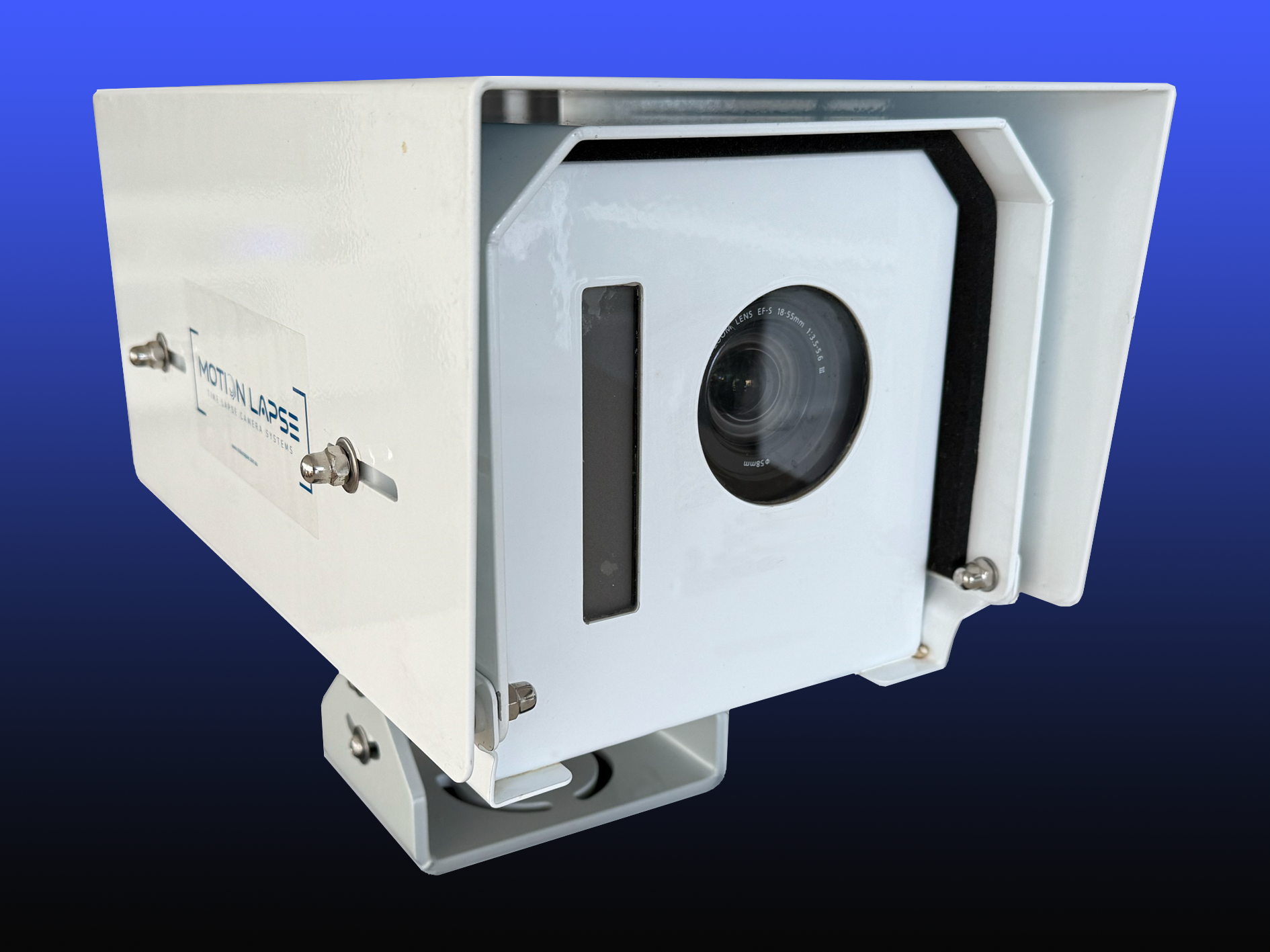
Camera selection should follow the site and the intended record, not the other way around. Consider image quality, mounting, power, weather exposure and remote access together because a strong camera can still produce a weak record if it is poorly positioned or cannot operate reliably. Ask the time lapse company to explain which parts of the system are included and why they suit your project.
Fixed cameras versus mobile camera units
Fixed cameras provide a consistent viewpoint and make progress easy to compare over time. Mobile units can be useful when the workfront moves or when a temporary view is needed, but they introduce decisions about relocation, framing and continuity. Ask how a proposed system will preserve a coherent visual record if the site layout changes.
Image quality, resolution and frame rates
Resolution affects how much detail remains visible when footage is cropped, displayed on a large screen or used in a report. Capture intervals and frame rates should reflect the pace of work: very frequent capture may create unnecessary data, while a long interval can miss short activities. Construction Time Lapse Specialists provides 4K cameras and high-resolution photography, so its documented capability is relevant when a project requires detailed visual monitoring.
Solar-powered and mains-powered options
Power planning is a practical part of the capture design. Mains power may suit an established site connection, while solar power can help where a camera is remote or temporary, provided the system is designed for local conditions and expected access. Confirm battery or backup arrangements, cable protection and who is responsible for checking the installation.
Weatherproofing and site durability
Construction equipment must cope with dust, rain, heat, vibration and incidental contact with plant or materials. Ask about the enclosure, mounting hardware and inspection process rather than treating weatherproofing as a tick-box specification. A durable system should also be serviceable without creating unnecessary disruption to the site.
Security features and remote access
Remote access is valuable when authorised users need to check progress without travelling to site. Confirm how accounts are protected, whether activity is logged and whether the system provides a secure portal or dashboard. The camera selection guide is a useful prompt for discussing secure mounting, remote access, power, connectivity and site safety in one conversation.
Assess installation and site coverage
A camera plan needs to account for the whole construction sequence, not just the site as it appears on installation day. Buildings rise, cranes move, hoardings shift and temporary works can block a previously useful view. A capable time lapse company should discuss these changes before equipment is installed and explain how coverage will be reviewed during the project.
Choosing camera positions and viewing angles
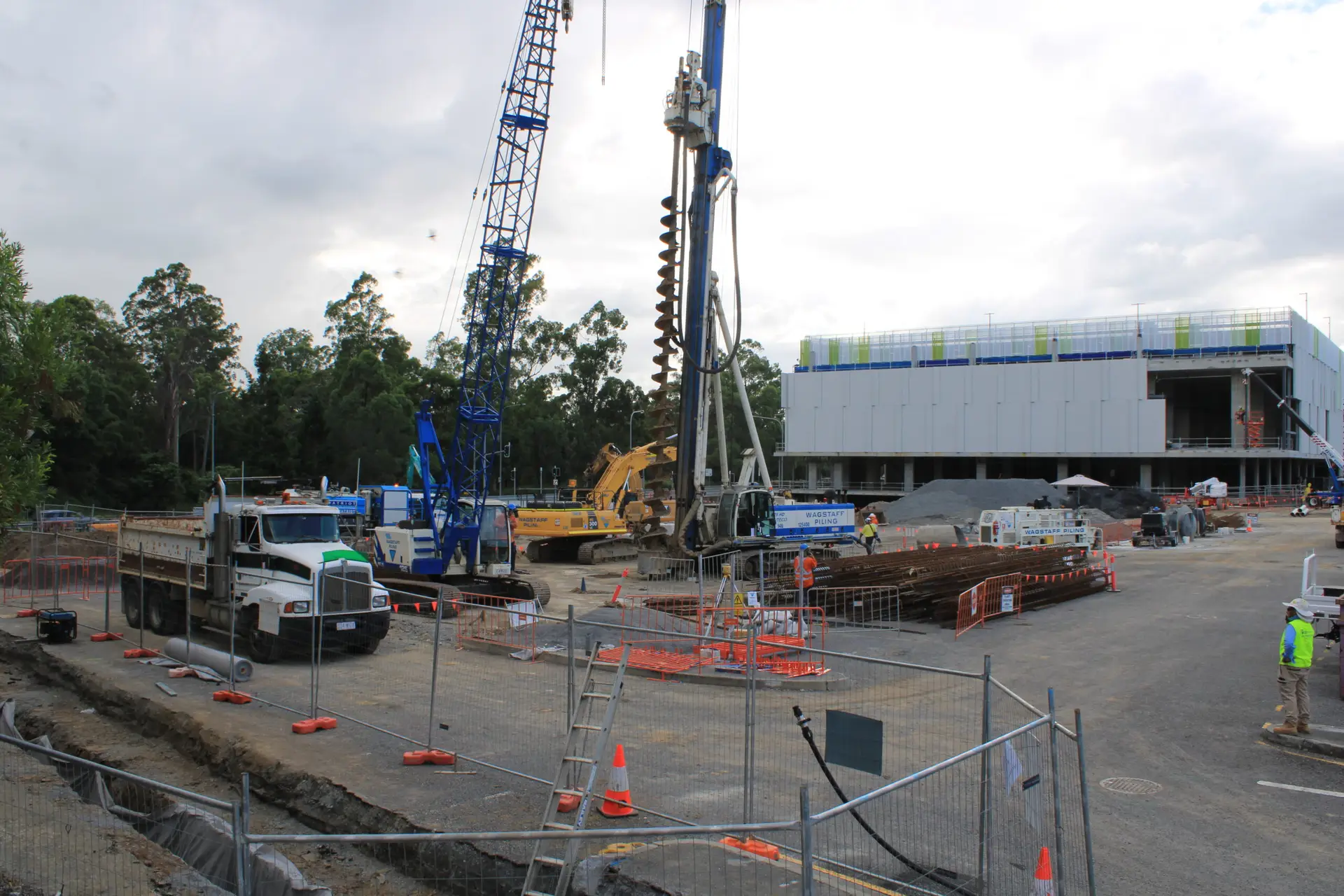
The best position gives a stable, useful view of the work while avoiding glare, blind spots and unnecessary background. Consider height, orientation, sun path, access for maintenance and the future footprint of the building. Test the proposed framing against drawings and the construction programme rather than relying on a single site walk-through.
Covering large or complex construction sites
One camera rarely shows every important activity on a large civil, infrastructure or high-rise project. Multiple viewpoints may be needed for the main structure, access points, staging areas or separate workfronts. Compare the cost of additional cameras with the value of a complete visual record, especially when stakeholders are working from different locations.
Managing obstructions and changing site conditions
Include a review point in the project plan for changes that may affect the image. New structures, cranes, screens and stored materials can gradually reduce the usefulness of a view. A short list of likely interventions keeps the camera plan practical:
- Recheck framing after major structural or façade changes.
- Record planned crane, hoarding and access-route changes.
- Keep alternate mounting points in the site documentation.
- Agree who approves relocation or revised coverage.
That process helps preserve continuity without moving equipment reactively. It also gives the project team a clear record of why a viewpoint was changed.
Protecting equipment from damage or theft
Mounting should be secure, discreet and compatible with site safety requirements. Discuss protection from impact, tampering, water ingress and unauthorised access, along with the procedure for reporting damage. Installation and removal should be coordinated with the site team so the camera does not create a hazard or interfere with construction activities.
Evaluate monitoring and data management
Capture is only useful if the resulting material can be found, trusted and shared. Ask how images move from the camera to storage, how users access them and what happens during a connection failure. The answers should suit both day-to-day project monitoring and the longer-term value of the visual record.
Live project viewing and remote dashboards
A remote dashboard can reduce unnecessary site visits and give project stakeholders a common view of progress. Confirm whether users can review current images, compare dates and identify the camera or viewpoint being shown. Construction Time Lapse Specialists documents secure remote portal access for viewing site progress, making that capability relevant where authorised stakeholders need visibility from different locations.
Cloud storage, backups and data ownership
Clarify where full-resolution images, edited sequences and final videos are stored. Ask about backup frequency, retention after the contract ends and the process for downloading an archive. Data ownership should be written into the agreement, including who can request copies and whether access continues after the camera is removed.
Internet connectivity and offline recording
Construction sites do not always have stable connectivity, particularly during early works or in remote locations. Establish whether the camera can continue recording locally and how missed uploads are handled when service returns. The monitoring plan should also identify who checks connectivity and how an outage is escalated.
Privacy, site security and access permissions
Even a construction image can reveal sensitive information about site operations, personnel or neighbouring properties. Limit access to people who need it, use individual accounts where possible and set a process for sharing extracts externally. Keep the footage aligned with the project’s security, privacy and compliance requirements rather than treating the portal as an open media library.
Review the company’s video production services
The camera produces the source material, but editing determines how clearly others understand it. Ask to see the intended workflow from captured images to review clips, progress updates and the final film. For a project with public, investor or client audiences, production quality should be considered at the start rather than added after capture has finished.
Automated time lapse editing and milestone cuts
Find out whether the service can create sequences over selected dates or milestones and how gaps, weather and inactive periods are handled. Automated editing may suit regular internal updates, while a more considered cut may be better for a handover or public release. Agree on review points so the finished sequence reflects the project’s actual story.
Branding, titles and project annotations
Titles can identify stages, dates, locations and project participants without overwhelming the footage. Branding should follow the owner’s or builder’s guidelines and remain legible across the intended formats. Discuss whether annotations are supplied as part of the service and who approves wording before publication.
Progress videos for stakeholders and marketing
A progress video should be edited for its audience. A concise stakeholder update may focus on sequence and current status, while marketing content may emphasise design, scale and the finished result. The construction progress video service describes using professional time-lapse footage for progress monitoring, stakeholder communication and marketing, which are sensible outputs to compare in a proposal.
Export formats for websites, presentations and social media
Ask for the resolution, aspect ratios, file types and delivery method before approving the production scope. A presentation, website, press release and social platform may each need a different crop or duration. Make sure the quote states whether alternate exports, captions and revisions are included.
Check support, reliability and project management
The service continues after installation. A reliable provider should have a clear process for maintenance, faults, site changes and communication, with responsibilities shared between the provider and the construction team. This matters most on long projects, where a small interruption can become a gap in the final record.
Installation, maintenance and equipment replacement
Confirm who installs the equipment, checks the framing and returns to site when conditions change. Ask how routine maintenance is scheduled and what happens if a camera, power supply or connection fails. Replacement arrangements should be clear enough that the site team is not left deciding how to restore coverage during a busy work period.
Response times for technical issues
A proposal should state how faults are reported, when support is available and what response times apply to urgent problems. Ask whether remote diagnosis is possible and when an on-site visit would be required. A short service-level summary is more useful than a general promise of support.
Experience with Australian conditions and regulations
Local conditions can affect power, weather exposure, communications and safe access to mounting locations. Check that the installation process is coordinated with site inductions, permits and relevant safety procedures. Experience with Australian construction environments is valuable when the project includes difficult access, remote areas or extended exposure to heat and storms.
Reporting, communication and account management
Nominate a project contact on each side and agree how updates will be supplied. Regular communication may cover camera status, coverage changes, captured milestones and any actions needed from the site team. For a broader view of long-term documentation, the time lapse archives offer related guidance on equipment, planning, site conditions and reporting.
Compare pricing and contract terms
The cheapest quote is not necessarily the lowest project cost if it excludes installation visits, monitoring or final delivery. Compare proposals on a like-for-like basis, including the camera count, capture period, storage, support and editing. A clear scope protects both the client and the provider when the programme changes.
Camera hire, installation and removal costs
Separate the initial installation, recurring hire and final removal charges. Check whether brackets, cabling, access equipment, site inductions and travel are included. If the project may expand, ask for the rate and process for adding another viewpoint.
Subscription, storage and monitoring fees
Recurring fees may cover connectivity, portal access, storage, maintenance or review services, but these are not always bundled together. Request a simple schedule that shows what is charged monthly, annually or only when requested. This makes it easier to compare a full-service package with equipment-only hire.
Project extensions and equipment changes
Construction dates move, and a camera may need to remain active beyond the original completion estimate. Confirm extension rates, notice periods and how a change in viewpoint is priced. Also ask whether unused service time can be transferred if a camera is replaced or relocated.
Ownership of footage and final deliverables
The agreement should state who owns raw images, edited sequences, project videos and any photographs captured alongside the time lapse. Confirm the delivery format, archive period and rights to reuse the material in future presentations or marketing. These details are especially important when several organisations contribute to the project.
Questions to ask before signing an agreement
Before selecting a time lapse company, turn the proposal into a practical conversation. The following questions expose gaps that may otherwise appear only after installation:
- Which views and milestones are included from start to finish?
- Who monitors the system and responds to a failed upload or camera?
- How are footage, backups, access rights and final exports managed?
- What happens if the project is delayed, extended or substantially redesigned?
- Which installation, editing, travel and removal costs are outside the quoted fee?
The answers should be specific enough to place in the contract or project schedule. If they are vague, request a revised scope before committing.
Start with a site conversation
If your project needs durable camera installation, remote progress visibility and high-quality visual records, speak with Construction Time Lapse Specialists about the site, programme and intended outputs. Discuss your project and use that conversation to shape a capture plan that is practical from installation through final delivery.
Conclusion
Choosing a time lapse company is chiefly a decision about continuity, visibility and responsibility. Define the record you need, test the proposed system against real site conditions, and confirm support, access, storage and deliverables in writing; that groundwork gives your project a dependable visual account rather than a collection of disconnected images.